Best Productivity Software for Teams: 10 Tools Tested & Ranked
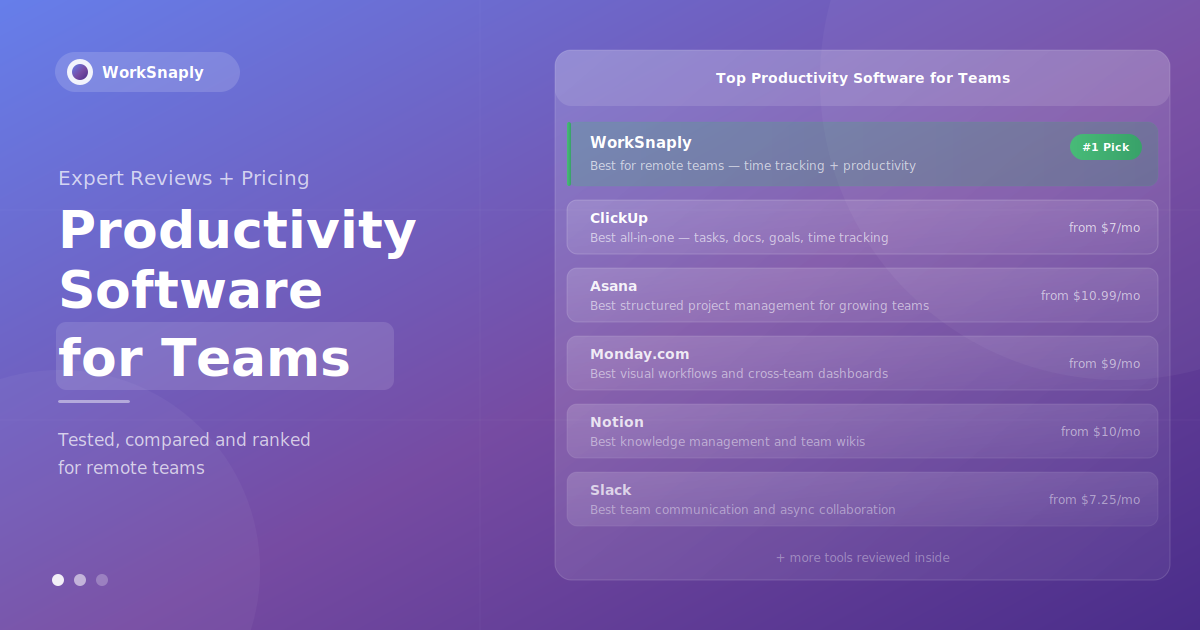
Compare 10 of the best productivity software tools for teams in 2026, including ClickUp, Asana, Monday.com and Notion, and learn how to choose the right one.
Quick answer: The best productivity software for teams depends on what you need to fix. ClickUp and Asana suit project management, Monday.com suits visual workflows, Notion suits shared knowledge, Slack and Microsoft Teams suit communication, and WorkSnaply (our own product) suits remote-team time visibility. Most teams do best with two or three tools that integrate well, not one tool that tries to do everything.
Switching between many tools fragments attention and costs focus time every time work is interrupted. The right productivity software doesn't just add another tool to that stack. It replaces several, centralizes information that currently lives everywhere, and gives teams a shared system for tracking work, communicating decisions, and measuring output.
This guide reviews the best productivity software for teams in 2026 — evaluated through hands-on testing, verified pricing data, and analysis of what makes each tool genuinely useful (versus just feature-rich on a comparison table).
What Is Team Productivity Software?
Team productivity software is the category of tools that help groups of people work together more effectively. This includes:
Project management tools — task assignment, timelines, dependencies, progress tracking
Communication platforms — messaging, video calls, async updates
Time tracking software — how hours are spent across projects and clients
Document collaboration — shared knowledge bases, wikis, real-time editing
Work automation platforms — eliminating repetitive manual tasks
The best tools in 2026 combine multiple categories — reducing the number of separate applications teams need to maintain, integrate, and pay for. The worst create yet another silo that adds process without removing friction.
How We Evaluated These Tools
Each tool was assessed on five criteria:
Core functionality: Does it do its primary job excellently, not just adequately?
Team adoption: Can a non-technical team member use it within a day without training?
Integration ecosystem: Does it connect to the other tools teams already use?
Pricing transparency: Is the real cost — including add-ons, minimums, and feature gates — clear?
Remote team suitability: Does it work for distributed teams across time zones?
1. WorkSnaply — Best for Remote Team Productivity Tracking
Best for: Remote and hybrid teams that need productivity visibility without micromanagement
Pricing: Starter $3.99/user/month · Professional $7.99/user/month · Enterprise $18.99/user/month · 14-day free trial
Most productivity software tells you what work is planned. WorkSnaply tells you where time is actually going — the single most important data point for managing a remote team effectively.
WorkSnaply tracks time at the project and task level while a timer runs, generating real-time dashboards that show managers exactly how team hours are distributed across clients, projects, and tasks — with optional screenshots rather than constant monitoring.
Key features:
Timer that keeps running in the background of the desktop app once started
Project-level productivity dashboards with real-time workload visibility
Reports exportable as CSV, PDF and Excel
Optional screenshots and activity monitoring with employee privacy controls
Team management with role-based permissions
Invoicing integration for client billing from tracked hours
Slack integration
Why it stands out: The gap in most productivity software stacks is accountability for actual time use. Teams can have perfectly organized Asana boards and beautifully documented Notion wikis, yet still have no clear picture of whether the right hours are going to the right work. WorkSnaply fills that gap, giving managers tracked-time data for resource decisions and accurate client billing.
For remote teams specifically, where managers can't observe work patterns directly, WorkSnaply provides the visibility layer that makes distributed management genuinely effective. See our complete guide on improving remote team productivity to understand how time tracking data fits into a broader management framework.
Limitations: WorkSnaply is purpose-built for time tracking and productivity monitoring — it doesn't replace a project management tool like Asana or ClickUp. It's designed to layer on top of your existing stack, not replace it entirely.

Real-time productivity dashboards give remote managers visibility without micromanagement. Photo: Unsplash
2. ClickUp — Best All-in-One Team Productivity Platform
Best for: Teams that want to consolidate tasks, docs, goals, and communication in one platform
Pricing: Free Forever (unlimited users) · Unlimited $7/user/month · Business $12/user/month · Enterprise custom
ClickUp has established itself as the most feature-comprehensive productivity platform in the category. It covers tasks, documents, whiteboards, goals, chat, time tracking, and automation under one roof, at price points that undercut most competitors.
Key features:
15+ project views: List, Board (Kanban), Gantt, Calendar, Timeline, Workload, and more
Native time tracking built into every task — no integration needed
ClickUp Docs for collaborative documentation and wikis
Sprint management for agile teams
Goals and OKR tracking tied to specific tasks
1,000+ integrations including Slack, GitHub, Google Workspace, and Zapier
ClickUp Brain AI (add-on at $9/user/month) for task generation and automation
Why it stands out: The free plan is genuinely useful for teams — unlimited users, unlimited tasks, and real-time collaboration at no cost. The Unlimited plan at $7/user/month delivers Gantt charts, dashboards, and automation features that competitors charge significantly more for. ClickUp is the strongest choice for teams that want maximum feature depth at the lowest price.
Limitations: The breadth of features creates a real learning curve. New users frequently feel overwhelmed by the number of configuration options, and teams that don't invest time in setup often end up with cluttered, inconsistent workspaces. ClickUp rewards disciplined implementation and suffers under casual adoption.
Note on AI: ClickUp Brain is a compelling add-on, but it adds $9/user/month on top of the base plan — making the effective cost $16/user/month for teams that want AI features, which changes the value calculation compared to competitors with bundled AI.
3. Asana — Best Structured Project Management
Best for: Growing teams that need clear task ownership, timelines, and structured workflows
Pricing: Personal free (up to 2 users) · Starter $10.99/user/month · Advanced $24.99/user/month · Enterprise custom
Asana serves over 150,000 paying organizations and has built its reputation on one thing: making it clear who is responsible for what, by when. In large teams where accountability gaps cause the most damage, Asana's structured approach consistently delivers.
Key features:
Multiple project views: List, Board, Timeline (Gantt), Calendar, and Workload
Task dependencies and milestone tracking
Workflow automation with rule-based triggers
Portfolios for cross-project visibility (Advanced plan)
Asana Intelligence: AI-powered workload balancing and meeting-to-task conversion
200+ native integrations including Slack, Teams, Salesforce, and Jira
Why it stands out: Asana's interface is the cleanest and most intuitive in the project management category. Reddit users and G2 reviewers consistently praise how easy it is for non-technical team members to get up and running — a critical factor for adoption across diverse teams. The structured task hierarchy (task → subtask → dependency → timeline) creates natural accountability without requiring complex setup.
Limitations: No native time tracking — teams that need billable hour tracking must integrate a separate tool. The Advanced plan at $24.99/user/month is significantly more expensive than ClickUp's comparable tier. Asana is purpose-built for project management; teams needing a knowledge base or wiki will need a complementary tool like Notion.
4. Monday.com — Best for Visual Workflow Management
Best for: Teams that manage cross-departmental work and need visual, dashboard-driven oversight
Pricing: Free (2 users) · Basic $9/user/month (3 user min) · Standard $12/user/month · Pro $19/user/month · Enterprise custom
Monday.com positions itself as a "Work OS" — a platform that connects planning to execution across entire organizations, not just individual project teams. Its visual, highly customizable boards have made it particularly popular for marketing, operations, and sales teams that need flexible workflow tracking without heavy technical setup.
Key features:
Highly visual boards with drag-and-drop customization
Dashboards that aggregate data from multiple boards across teams
Automation recipes for repetitive workflow tasks
CRM capabilities for sales pipeline tracking
Workload view for capacity planning
Time tracking on Pro plan and above
Connects to Microsoft Teams, Slack, Google Drive, Salesforce, and 200+ integrations
Why it stands out: Monday.com's dashboards are genuinely impressive — aggregating data from multiple boards to give executives and operations leaders a real-time cross-team view of work status, capacity, and progress. For organizations managing work across multiple departments with different workflows, this visibility is difficult to replicate in other tools.
Limitations: The 3-user minimum on paid plans makes it more expensive for very small teams. Time tracking is limited to the Pro plan ($19/user/month), requiring either an upgrade or external integration for teams that need it earlier. The free plan is limited to 2 users, making it impractical for most teams to evaluate properly.
5. Notion — Best for Team Knowledge Management
Best for: Teams that need a flexible knowledge base, documentation system, and collaborative workspace
Pricing: Free (unlimited pages, limited collaboration) · Plus $10/user/month · Business $15/user/month · Enterprise custom
Notion occupies a unique position in the productivity software landscape: it's not primarily a project management tool, though it can do project management. It's a flexible workspace where teams build the systems that work for them — documentation, wikis, databases, meeting notes, project tracking, and content planning — all in one place.
Key features:
Flexible blocks: text, databases, tables, calendars, Kanban boards, and more
Relational databases for connecting information across pages
Team wikis and knowledge bases with search-first navigation
Templates library with hundreds of ready-to-use systems
Notion AI for writing assistance, summarization, and Q&A across your workspace
Integrations with Slack, GitHub, Jira, and Asana
Notion Sites for publishing team-built pages publicly
Why it stands out: No tool organizes company knowledge as flexibly as Notion. The ability to create relational databases, embed content from dozens of sources, and build custom views means teams can design systems that precisely match how they think and work — rather than conforming to a vendor's opinionated structure. G2 users consistently rate Notion as the highest-satisfaction knowledge management tool in its category.
Limitations: Notion is not a strong project management tool — no native Gantt view, no built-in time tracking, and no task dependency management. Teams that try to use Notion as a primary project management platform typically end up maintaining a patchwork of workarounds. The Notion AI add-on ($8/user/month) adds to the effective cost. Most productive teams use Notion alongside, not instead of, a dedicated PM tool.

The most effective teams combine the right tools for each job rather than forcing one tool to do everything. Photo: Unsplash
6. Slack — Best for Team Communication
Best for: Teams that need fast, organized async and synchronous communication
Pricing: Free (90-day message history) · Pro $7.25/user/month · Business+ $12.50/user/month · Enterprise Grid custom
Slack is the dominant team communication platform, used by millions of organizations worldwide. It has evolved well beyond simple messaging — today's Slack includes Huddles (lightweight audio/video), Canvas (collaborative documents), Workflow Builder (no-code automation), and deep integrations with virtually every major productivity tool.
Key features:
Organized channels by team, project, and topic
Huddles for quick audio/video conversations without scheduling a meeting
Canvas documents embedded in channels
Clips for async video messaging
Workflow Builder for automating repetitive communication tasks
2,400+ app integrations including every major productivity tool
Slack AI for message summarization and search (included on Pro+ plans)
Why it stands out: Slack's ecosystem of integrations is unmatched. When your project management tool, CRM, analytics platform, and customer support system all push notifications and updates into Slack channels, it becomes the operational nerve center of how a team stays aware of what's happening — without checking six different apps.
Limitations: Slack's free plan is genuinely restrictive for teams — only 90 days of message history makes it impractical as a long-term communication record. Heavy Slack usage can actually harm productivity by creating an expectation of instant response that fragments deep work time. The best teams establish explicit communication norms that treat Slack as async-first, not a real-time chat requirement.
7. Microsoft Teams — Best for Microsoft 365 Organizations
Best for: Organizations already on Microsoft 365 that need integrated communication and collaboration
Pricing: Essentials $4/user/month · Microsoft 365 Business Basic $6/user/month · Business Standard $12.50/user/month
For organizations running on Microsoft 365, Teams provides a deeply integrated communication and productivity platform that connects directly to Outlook, SharePoint, OneDrive, Word, Excel, and the rest of the Microsoft ecosystem. The integration depth is genuinely difficult to replicate with third-party tools.
Key features:
Integrated with Outlook, SharePoint, OneDrive, and all Microsoft 365 apps
Video meetings with transcription, recording, and Copilot AI assistance
Channels organized by team and topic
Microsoft Planner (Kanban) and Loop (collaborative workspaces) integration
Whiteboard for visual collaboration
Enterprise-grade security and compliance
700+ third-party app integrations
Why it stands out: For Microsoft 365 organizations, Teams is often already paid for as part of the subscription. The native integration with email, files, and calendar creates a unified workspace that's hard to replicate with non-Microsoft tools. Copilot AI integration across Teams and the broader Microsoft 365 suite is increasingly powerful for organizations at the enterprise level.
Limitations: Teams is notoriously complex for new users — the interface is less intuitive than Slack and the feature set can feel overwhelming. Organizations that aren't already on Microsoft 365 have little reason to adopt Teams over competitors with better standalone user experiences.
8. Trello — Best Simple Kanban Tool
Best for: Small teams and simple workflows that need visual task management without complexity
Pricing: Free (unlimited cards, 10 boards) · Standard $5/user/month · Premium $10/user/month · Enterprise custom
Trello pioneered the visual Kanban board approach to task management, and its simplicity remains its defining strength. Cards move across columns representing workflow stages — the most intuitive task management model for teams new to project management software.
Key features:
Visual Kanban boards with drag-and-drop cards
Power-Ups (integrations) with 200+ apps including Slack, Google Drive, and Jira
Butler automation for rule-based card actions
Timeline, Calendar, and Table views on Premium
Unlimited cards on all plans
Why it stands out: No project management tool is easier to learn than Trello. A new user can create a functional board in under 10 minutes. For teams with straightforward workflows — content pipelines, bug tracking, feature backlogs, or HR onboarding — Trello's simplicity is an asset, not a limitation.
Limitations: Trello becomes limiting quickly as teams grow. No native Gantt view (requires Power-Up), no built-in time tracking, limited cross-board visibility, and no workload management. Teams that outgrow basic Kanban typically migrate to ClickUp, Asana, or Monday.com.
9. Google Workspace — Best Collaborative Document Suite
Best for: Teams that need real-time document collaboration and integrated email/calendar
Pricing: Business Starter, Standard and Plus are priced per user per month (check Google's current pricing) · Enterprise custom
Google Workspace (formerly G Suite) remains the most widely used document collaboration platform in the world. Gmail, Drive, Docs, Sheets, Slides, Meet, and Calendar create an integrated productivity environment that most knowledge workers are already familiar with.
Key features:
Real-time collaborative editing in Docs, Sheets, and Slides
30 GB – 5 TB cloud storage (depending on plan)
Google Meet for video conferencing
Shared drives for team file organization
Gemini AI integration across Workspace apps
Deep integration with virtually every third-party productivity tool
Why it stands out: Google Workspace's document collaboration is the gold standard — the simultaneous editing experience in Google Docs remains smoother than any competitor. For teams where document creation and sharing is central to daily work, Workspace provides an essential foundation that integrates with essentially every other tool in the productivity stack.
Limitations: Google Workspace doesn't include project management functionality. Teams using Workspace still need a separate task management tool. Google's project management products (Tasks, Keep) are too lightweight for professional use, and the lack of a native Gantt or portfolio view is a consistent gap.
10. Jira — Best for Software Development Teams
Best for: Software development teams using agile methodologies
Pricing: Free (up to 10 users) · Standard $8.15/user/month · Premium $16/user/month · Enterprise custom
Jira is the dominant project management platform for software development teams, used by over 65,000 organizations globally. Its deep support for agile methodologies — scrum, Kanban, and SAFe — and direct integration with development tools (GitHub, GitLab, Bitbucket) make it the default choice for engineering organizations.
Key features:
Issue tracking with customizable workflows
Sprint planning and backlog management
Bug tracking with severity and priority management
Roadmaps for release planning
Integration with GitHub, Bitbucket, Jenkins, and other dev tools
Jira Product Discovery for product management
3,000+ marketplace apps
Why it stands out: No other tool connects engineering work as tightly to development infrastructure. When a Jira issue links directly to the GitHub pull request that resolves it, the commit that merged it, and the deployment that shipped it, engineering managers have a level of traceability that's impossible to replicate in general-purpose project management tools.
Limitations: Jira is complex — notoriously so for non-developers. Configuration overhead is high, and the interface rewards investment in setup. Teams mixing technical and non-technical members often find that Jira serves engineers well while being confusing for marketing, operations, or customer success collaborators.
Quick Comparison: Productivity Software for Teams
Tool | Best For | Starting Price | Free Plan | Time Tracking | Remote-Ready |
|---|---|---|---|---|---|
WorkSnaply | Remote productivity tracking | $3.99/user/mo | 14-day trial | ✅ Background timer | ✅ Built for it |
ClickUp | All-in-one platform | $7/user/mo | ✅ Unlimited users | ✅ Built-in | ✅ Yes |
Asana | Structured project management | $10.99/user/mo | ✅ Up to 2 users | ❌ Needs integration | ✅ Yes |
Monday.com | Visual workflows | $9/user/mo | ✅ 2 users only | ⚠️ Pro plan only | ✅ Yes |
Notion | Knowledge management | $10/user/mo | ✅ Limited collab | ❌ Not built-in | ✅ Yes |
Slack | Team communication | $7.25/user/mo | ✅ 90-day history | ❌ Not built-in | ✅ Yes |
Microsoft Teams | Microsoft 365 users | $4/user/mo | ⚠️ Limited | ❌ Not built-in | ✅ Yes |
Trello | Simple Kanban | $5/user/mo | ✅ 10 boards | ❌ Power-Up only | ✅ Yes |
Google Workspace | Document collaboration | $6/user/mo | Consumer Gmail only | ❌ Not built-in | ✅ Yes |
Jira | Software development | $8.15/user/mo | ✅ Up to 10 users | ⚠️ Via integrations | ✅ Yes |
How to Choose the Right Productivity Software for Your Team
The right productivity software stack depends on your team's primary workflow, size, and technical sophistication. Here's a decision framework:
For Remote Teams That Need Accountability
Start with WorkSnaply for time tracking and productivity visibility, then pair with Asana or ClickUp for project management. Remote teams that can see how their time is distributed across projects make better resourcing decisions and catch burnout risk earlier. Read our guide on best time tracking practices for remote teams for implementation guidance.
For Teams That Want One Tool to Rule Them All
ClickUp is the closest thing to a genuine all-in-one productivity platform — tasks, docs, goals, time tracking, and chat under one roof. The learning curve is real, but teams that invest in setup get remarkable feature depth at competitive prices.
For Teams That Value Simplicity Over Features
Asana for project management, Slack for communication, Google Workspace for documents. This three-tool stack is the most common configuration for knowledge-work teams and represents the sweet spot of functionality and ease of adoption.
For Software Development Teams
Jira for project management and issue tracking, paired with GitHub or GitLab for code, Slack for communication, and Confluence or Notion for documentation. Time tracking via WorkSnaply integration ensures engineering hours are captured for project costing.
For Organizations on Microsoft 365
Microsoft Teams as the communication hub, SharePoint for document management, Planner for basic task management. Add Monday.com or Asana for more sophisticated project management needs, and WorkSnaply for time tracking visibility.
Common Mistakes When Choosing Productivity Software
Teams consistently make the same errors when evaluating and implementing productivity tools:
Choosing based on features, not workflow fit: A tool with 50 features your team won't use is inferior to a tool with 15 that match exactly how you work
Underestimating adoption: The best productivity tool is the one your team actually uses. Complex tools with low adoption produce worse outcomes than simple tools with high adoption
Over-tooling: Adding tools without removing others creates context-switching overhead that exceeds any individual tool's productivity benefit
Skipping time tracking: Most productivity stacks have sophisticated task management but no visibility into actual time allocation — leaving managers making resourcing decisions based on intuition rather than data
Not measuring impact: Teams that switch tools without measuring before and after can't know whether the switch improved productivity or just changed which interface they use
The most impactful addition to most team productivity stacks isn't a new project management tool — it's connecting time data to work data. When managers can see not just what's planned but where hours are actually going, they can make the interventions that matter. That's what makes time tracking the missing layer in most productivity software stacks. See our guide on time management for managers for how to use this data effectively.
Add the Missing Layer to Your Productivity Stack
WorkSnaply gives remote managers real-time visibility into how team time is actually distributed — across projects, clients, and tasks — without micromanaging or invasive monitoring.
Start Free 14-Day Trial — No Credit Card RequiredRelated reading
- Best Team Management Software in 2026: Complete Comparison Guide
- 7 Task Prioritization Techniques That Actually Work (2026 Guide)
- Project Management Objectives: SMART Framework, Examples & How to Track Them
- 10 Best Employee Time Tracking Software in 2026
Frequently Asked Questions
What is the best productivity software for teams?
The best productivity software depends on your primary need. For remote team accountability and time visibility: WorkSnaply. For all-in-one project management: ClickUp. For structured task management: Asana. For visual workflows: Monday.com. For knowledge management: Notion. For communication: Slack. Most effective teams use 2-3 complementary tools rather than trying to force one platform to cover every need.
What productivity software do most companies use?
According to G2 and industry research, the most widely used team productivity tools are Microsoft Teams (communication), Google Workspace (documents), Slack (communication), Asana and ClickUp (project management), and Notion (knowledge management). Jira dominates in software development. Biweekly payroll is often managed through dedicated HR platforms that integrate with these tools.
Is there free productivity software for teams?
Yes — several tools offer genuinely useful free plans. ClickUp's free tier includes unlimited users and tasks. Asana's free plan supports up to 2 users. Trello's free plan includes unlimited cards on up to 10 boards. Notion's free plan includes unlimited pages with limited collaboration. Jira is free for up to 10 users. Most free plans become limiting as teams grow or need advanced features.
How do I measure whether productivity software is actually working?
Track measurable indicators before and after implementation: project delivery times, number of status meetings (fewer is better), time-to-response on key decisions, and employee satisfaction scores. Time tracking data from tools like WorkSnaply provides the most objective measurement — showing whether high-value project work is increasing as a share of total team hours.
Should I use one tool for everything or multiple specialized tools?
For most teams, 2-3 specialized tools outperform a single all-in-one platform. The all-in-one tools (ClickUp, Notion) require significant configuration to match specific team workflows, while specialized tools like Asana, Slack, and WorkSnaply excel at their specific job and integrate cleanly with each other. The exception is very small teams (under 5 people) where minimizing tool switching is more valuable than feature depth.
What productivity software works best for remote teams?
Remote teams benefit most from tools with strong async-first capabilities: Slack or Microsoft Teams for communication (with explicit async norms), Asana or ClickUp for task management (so work is visible without meetings), Notion for documentation, and WorkSnaply for time tracking visibility. The combination of project management + time tracking is particularly important for remote teams, where managers can't observe work patterns directly.
What is the difference between project management software and productivity software?
Project management software plans and tracks work (tasks, deadlines, dependencies). Productivity software is the wider category: it also includes communication, documents, knowledge bases, time tracking and automation. Most teams combine a project tool with a communication tool and a time or workload tool.
How much does team productivity software cost?
Most tools in this guide offer a free plan or free trial, and paid plans are usually priced per user per month. Prices and plan limits change often, so check each vendor's pricing page before you decide.