12 Signs You Are Being Monitored at Work (And What to Do)
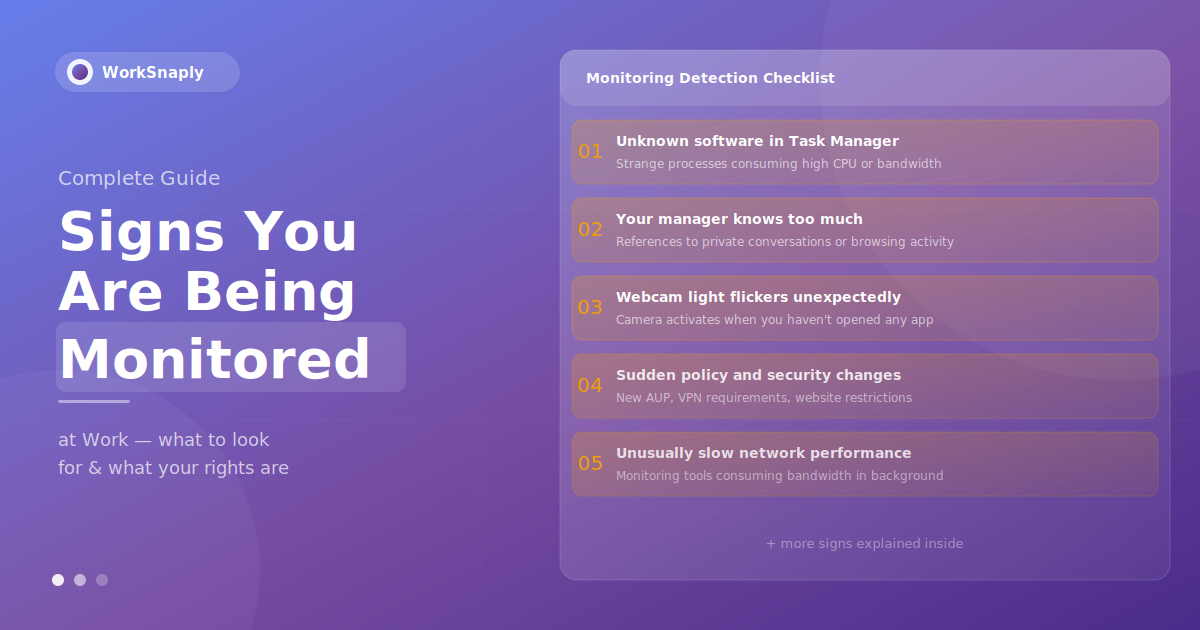
Workplace monitoring has grown in recent years. Learn the 12 signs you are being monitored at work, what is legal, and what to do about it.
Workplace monitoring has surged in recent years. Employee monitoring technology has become far more common among large employers since the pandemic began, and the shift to remote work has only accelerated it.
The uncomfortable reality is that most employees do not know exactly what is being tracked, how much data is being collected, or how it is used. This guide covers 12 signs that you are being monitored at work, the common monitoring tools, what the law says, your rights, and what to do if you think you are being watched.
Why Employers Monitor Employees
Before examining the signs, it helps to understand the legitimate reasons companies implement monitoring — because this context shapes whether the monitoring you're experiencing is appropriate or excessive.
Common reasons include:
Productivity measurement: Understanding how work time is actually spent, particularly for remote teams where direct observation isn't possible
Data security: Detecting potential data breaches, unauthorized file transfers, or insider threats — a critical concern for businesses handling sensitive client or financial information
Legal and regulatory compliance: Many industries (finance, healthcare, legal) are required by law to maintain communication and activity records
Client billing: Accurate time records for hourly billing to clients
Performance management: Objective data for performance reviews rather than purely subjective assessments
Preventing policy violations: Ensuring company devices are used appropriately
The distinction that matters is transparency. Monitoring implemented with employee knowledge, through clear policies, is generally both legal and ethically defensible. Monitoring that's covert, disproportionate, or disclosed only in fine print raises legitimate concerns.
12 Signs You Are Being Monitored at Work
1. Unknown Processes Running in Task Manager or Activity Monitor
One of the most reliable technical indicators of monitoring software is unusual activity in your system processes.
How to check:
Windows: Press
Ctrl + Shift + Escto open Task Manager → click "More details" → examine the Processes and Details tabs for unfamiliar namesMac: Open Activity Monitor (Applications → Utilities → Activity Monitor) → sort by CPU or Network usage
Look for processes with names like agent.exe, monitor.exe, screenCapture, or any process consuming significant network bandwidth that you don't recognize. Common employee monitoring tools that may appear include Hubstaff, Time Doctor, Teramind, ActivTrak, and similar applications.
Important caveat: Many legitimate IT processes, antivirus software, and corporate VPN clients also run in the background. An unfamiliar process doesn't automatically mean invasive monitoring — it could be routine IT security software. Check with your IT department if you're unsure about a specific process.
2. Your Manager References Things They Shouldn't Know
If your manager consistently demonstrates knowledge of activities, conversations, or computer usage that they couldn't have known through normal means — that's a strong behavioral indicator of monitoring.
Examples include:
Mentioning specific websites you visited during work hours
Referencing the content of private messages or draft documents you never sent
Knowing exactly how long you spent away from your computer
Bringing up details from a call or conversation that they weren't part of
One or two coincidences might be explainable. A consistent pattern of unexplained knowledge is worth noting.
3. Your Webcam Light Activates Unexpectedly
Most laptops have a hardware indicator light that activates when the camera is in use. If this light turns on when you haven't opened any video calling application, it may indicate that software is accessing your webcam.
Some sophisticated monitoring tools can activate cameras without triggering the indicator light — though this is less common on modern devices with hardware-level privacy controls. If you notice unexpected camera activation, you can:
Close all applications and check Task Manager for processes accessing camera resources
Use a physical webcam cover when not in active video calls
On Mac, check System Preferences → Security & Privacy → Camera to see which applications have camera access
4. Unusually Slow Computer or Network Performance
Employee monitoring software runs in the background and consumes system resources. If your work computer has become noticeably slower — particularly during tasks that previously ran smoothly — monitoring software could be part of the explanation.
Signs to watch for:
Higher than normal CPU or RAM usage shown in Task Manager or Activity Monitor
Slower internet speeds on your work device compared to personal devices on the same network
Increased network activity during idle periods (indicating background data uploads)
Battery draining faster than usual on laptops
Screenshot-capturing tools in particular can cause performance impacts — taking regular screenshots of your screen and uploading them to a management server consumes both processing power and bandwidth.

Unusual system performance can be an early indicator of monitoring software. Photo: Unsplash
5. You Were Asked to Install Software Without a Clear Explanation
If your employer or IT department asked you to install a tool with a vague explanation — "it's for IT support," "it helps us manage devices," or "it's required for remote work" — it may be monitoring software.
Legitimate IT tools (VPNs, endpoint security, device management software) are normal and appropriate on company devices. The concern arises when:
The explanation for the software is vague or dismissive of your questions
The tool requests permissions beyond what its stated purpose requires (camera, microphone, keylogging)
You're asked to install it on a personal device without disclosure of what data it collects
You have the right to ask what data any software on your device collects and who can see it. A legitimate employer should be able to answer this clearly.
6. Sudden Changes to IT Policies or Acceptable Use Agreements
When companies implement new monitoring, they often update their policies simultaneously — sometimes in ways that telegraph what's coming. Watch for:
New or updated Acceptable Use Policy (AUP) requiring your signature
New restrictions on websites, personal email use, or cloud storage access
Mandatory VPN requirements during all working hours
Updated employee handbooks with new sections on monitoring or electronic communications
New IT security trainings that mention activity logging or monitoring systems
These changes don't necessarily mean monitoring is new — they may reflect an existing monitoring program being formally documented. Either way, policy changes are worth reading carefully.
7. Your Internet Access Is Restricted or Filtered
If websites that previously loaded now show "access denied" or redirect to a company IT notice page, your employer has implemented web filtering — which is also typically accompanied by logging of your browsing activity.
Web filtering is one of the most common forms of workplace monitoring. Most corporate IT environments filter content categories (social media, streaming, adult content) and log which URLs employees attempt to access. This is standard practice in many industries and generally disclosed in IT policies.
The presence of web filtering is a reliable indicator that your network activity is being logged.
8. Cameras or Physical Monitoring Devices Have Been Added
Physical surveillance — CCTV cameras, card access readers, and badge tracking systems — is a form of monitoring that's often more visible than digital monitoring. Signs include:
New cameras installed in office spaces, including areas where cameras weren't previously present
New badge readers or access control systems on doors that previously didn't require them
Turnstile or entry systems that log who enters and exits at what times
Physical monitoring is generally more heavily regulated than digital monitoring, particularly in the EU and UK. In most jurisdictions, employers must post notices when cameras are in use.
9. Your Email or Communications Feel Observed
Corporate email systems almost universally allow employers to access employee emails — this is standard practice and typically disclosed in IT policies. But there are behavioral signs that communication monitoring may be active:
Colleagues receiving questions about the content of internal messages they thought were private
HR awareness of conversations conducted over internal messaging platforms
References during performance discussions to specific written communications
Assume that any communication conducted on a company device or company system (email, Slack, Teams, internal chat) can be accessed by your employer. This is generally true regardless of whether you've seen signs of active monitoring.
10. You Receive Unusually Specific Performance Feedback
If your manager provides feedback that references very specific activity data — exact time you logged in, precise minutes spent on particular tasks, specific application usage — they're almost certainly working from monitoring tool data.
This isn't inherently a problem. Time tracking and productivity monitoring, when transparent, are legitimate management tools. But if you're receiving data-specific feedback and weren't told that this data was being collected, it indicates a transparency gap in how monitoring was implemented.
11. IT Has Remote Access to Your Device
Most corporate IT environments use remote device management (MDM) software that gives IT administrators the ability to remotely access, control, and monitor company devices. Signs include:
Your screen moves or programs open without your input (during remote IT support)
IT can install or remove software on your device without physical access
You receive IT security alerts referencing specific activities on your device
Remote device management is standard IT practice for company-owned devices. The concern arises if remote access is used for purposes beyond technical support and security management without disclosure.
12. A Monitoring Policy Is Referenced in Your Employment Contract
The most straightforward sign of monitoring is documentation. Check your:
Employment contract — many include clauses about electronic monitoring and privacy expectations
Employee handbook — monitoring policies are commonly included here
Any documents you signed during onboarding related to IT use, data security, or acceptable use
If your contract or handbook references monitoring, that's your employer being transparent — which is the appropriate approach. The absence of any mention can itself be significant, particularly in jurisdictions where disclosure is legally required.

Employment contracts and IT policies often contain monitoring disclosures. Photo: Unsplash
Types of Workplace Monitoring Tools
Understanding what tools employers use helps contextualize the signs above. Common categories include:
Time Tracking Software
Records when employees are logged in and active. Ranges from simple clock-in/clock-out systems to sophisticated tools that track activity levels, application usage, and project time allocation. Examples include WorkSnaply, Hubstaff, Time Doctor, and Clockify. These tools vary significantly in how much data they collect and how transparently they operate — see our guide on the best employee time tracking software for a detailed comparison.
Screenshot Monitoring
Captures periodic screenshots of employee screens — typically every few minutes — and uploads them to a management dashboard. This is one of the most invasive forms of monitoring and is increasingly regulated. Some tools allow employees to blur or exclude sensitive content.
Keystroke Logging
Records every key pressed on a company keyboard. This captures typed content, including passwords, personal messages, and documents, making it one of the most sensitive forms of monitoring from a privacy perspective. Its use is heavily regulated in many jurisdictions.
Email and Communication Monitoring
Access to corporate email, Slack, Teams, or other internal communication platforms. Standard practice for corporate IT environments; typically disclosed in acceptable use policies.
Web and Application Usage Tracking
Logs which websites are visited and which applications are used, including time spent on each. Very common in corporate environments; usually disclosed in IT or acceptable use policies.
GPS and Location Tracking
Tracks the physical location of employees, typically through company mobile devices or vehicles. Most common for field workers, delivery drivers, and service technicians. Requirements for disclosure vary by jurisdiction.
Video Surveillance (CCTV)
Physical cameras in workplace environments. Heavily regulated in most countries, with requirements for signage and limitations on placement (bathrooms and changing rooms are universally excluded).
Is Workplace Monitoring Legal?
The short answer is: yes, in most cases, with important conditions that vary significantly by location.
United States
The Electronic Communications Privacy Act (ECPA) permits employers to monitor communications on company systems for legitimate business purposes. There is no federal requirement to notify employees of monitoring, though many states have their own requirements. States with specific notification requirements include Connecticut, Delaware, and New York.
Key principles under U.S. law:
Monitoring is generally permissible on company-owned devices and networks
Personal devices used for work occupy a gray area, particularly where BYOD policies apply
Employees have reduced privacy expectations on company systems — but not zero expectations
European Union
The GDPR imposes significantly stricter requirements. Employers must have a legitimate legal basis for monitoring, inform employees of what data is collected and why, and ensure monitoring is proportionate to the business need. Covert monitoring is generally unlawful except in very specific circumstances (typically active fraud or criminal investigations).
United Kingdom
Post-Brexit, the UK maintains similar principles through the UK GDPR and the Data Protection Act 2018. The ICO (Information Commissioner's Office) provides guidance requiring transparency and proportionality in employee monitoring.
Canada
Ontario introduced the Working for Workers Act in 2022, requiring employers with 25+ employees to have a written policy on electronic monitoring. Other provinces have varying requirements.
Your Rights as an Employee
Regardless of jurisdiction, employees have certain baseline rights and entitlements:
Right to know: In most jurisdictions, you have the right to ask what data your employer collects about you and to receive a clear answer. In the EU/UK, you have a formal right of access under GDPR.
Right to proportionality: Monitoring should be proportionate to the legitimate business need. Keystroke logging every employee in a creative agency is disproportionate; the same tool used to investigate a specific security incident may be appropriate.
Right to contest inaccurate data: Under GDPR and similar frameworks, you can challenge data about you that you believe is inaccurate.
Right to privacy on personal devices: If your employer requires you to install monitoring software on a personal device, they must clearly disclose what it monitors and you should have the ability to remove it when not working (or use a separate work profile).
What to Do If You Think You're Being Monitored
Step 1: Review Your Employment Documents
Start with the documents you signed. Your employment contract, employee handbook, IT acceptable use policy, and any onboarding paperwork may contain monitoring disclosures. Many employees are surprised to find monitoring policies they didn't read carefully at the time of signing.
Step 2: Ask HR or IT Directly
You have the right to ask. Request a meeting with HR or your IT department and ask specifically: "What monitoring software is installed on my work device? What data does it collect? Who can see it?"
A legitimate employer should answer these questions transparently. Evasion or vague responses to direct questions about monitoring are themselves a signal worth noting.
Step 3: Understand What's on Your Device
On your work device, check Task Manager (Windows) or Activity Monitor (Mac) for unfamiliar software. You can also look at installed programs through your system's application manager. Be careful not to uninstall anything — on a company device, you may not have the authority to do so and removal could be treated as a policy violation.
Step 4: Separate Personal and Work Activity
The most effective practical step regardless of your conclusions: keep personal activity entirely off work devices and work networks. Use your personal phone for personal matters during work hours. Don't use work email for personal correspondence. This isn't about having something to hide — it's about maintaining appropriate boundaries between work and personal life.
Step 5: Know Your Escalation Options
If you believe monitoring is excessive, covert, or violating your legal rights:
U.S.: Contact your state labor board or the National Labor Relations Board (NLRB) for issues related to protected concerted activity
EU/UK: File a complaint with your national data protection authority (ICO in the UK, your national DPA in EU countries)
Canada: Contact your provincial privacy commissioner or the Office of the Privacy Commissioner of Canada
Consult an employment lawyer if you believe monitoring has crossed legal lines or has been used to discriminate or retaliate
A Note for Managers: The Right Way to Monitor
If you're a manager reading this to understand how employees experience monitoring, the lesson is clear: transparency is not optional, it's the foundation of trust.
Employees who know what's being monitored, understand why, and trust that data will be used fairly are far more likely to accept monitoring as a reasonable workplace practice. Covert or poorly communicated monitoring — even when technically legal — consistently damages team culture, increases turnover, and reduces the very productivity it's meant to measure.
The most effective approach to remote team accountability uses time and project data to support employees rather than surveil them. Our guides on best time tracking practices for remote teams and improving remote team productivity cover how to implement this approach in practice.
WorkSnaply was built on this principle — providing managers with the project-level visibility they need to manage effectively, while giving employees access to their own data and maintaining clear privacy boundaries. If you're evaluating monitoring tools, the best employee time tracking software guide compares the leading options across both functionality and privacy approach.
Time Tracking That Builds Trust, Not Suspicion
WorkSnaply gives remote managers the project-level visibility they need — without screenshots, keystroke logging, or invasive monitoring. Transparent by design.
Start Free 14-Day Trial — No Credit Card RequiredRelated reading
Frequently Asked Questions
Can my employer monitor me without telling me?
It depends on your location. In the United States, federal law generally permits employer monitoring of company devices and networks without explicit notification, though some states require it. In the European Union and UK, GDPR requires employers to inform employees of monitoring, its purpose, and what data is collected. In practice, most employers include monitoring disclosures in their employment contracts, IT policies, or employee handbooks — which is why reading these documents carefully matters.
Can my employer monitor my personal phone?
Only if you've installed employer-required software on your personal device (BYOD arrangements). Even then, reputable monitoring tools should operate only during work hours or within a work profile, and you should be clearly informed of what data is collected. Monitoring your personal device without your knowledge or consent is generally unlawful in most jurisdictions.
Can my employer read my work emails?
Yes — almost universally. Corporate email accounts are company-owned systems, and employers typically have the legal right to access all communications on those systems for legitimate business purposes. This applies to services like Gmail for Business, Outlook, and most enterprise email platforms. Treat your work email as you would any company-owned communication channel.
Is monitoring software on my work laptop legal?
Yes, in most jurisdictions, employers can install monitoring software on company-owned devices. The legal requirements vary — some locations require notification (GDPR requires it in the EU/UK), others don't. Whether or not notification is legally required, most ethical employers disclose monitoring in their IT policies or employment documents.
What should I do if I feel my employer's monitoring is excessive?
Start by reviewing your employment contract and IT policy to understand what monitoring was disclosed. Then speak with HR to ask specifically what data is collected and how it's used. If you believe monitoring exceeds what was disclosed or violates your legal rights, contact your relevant data protection authority (in the EU/UK) or consult an employment lawyer.
Does monitoring software slow down my computer?
It can — particularly screenshot tools, video recording software, and keystroke loggers that continuously capture and upload data. If your work computer has become noticeably slower since you started a new role or after an IT software deployment, monitoring software could be a contributing factor. Check Task Manager or Activity Monitor for processes with high CPU or network usage.
Can employers monitor remote workers at home?
Yes, on company-owned devices and through company-owned systems. The same principles that apply in office environments generally apply to remote work. However, monitoring cannot extend to your home environment itself — your personal devices, home network, or physical surroundings — without explicit consent. The pandemic-era expansion of remote work has been accompanied by significant growth in remote monitoring software, which is why understanding your rights in this area matters more than ever.
This guide breaks down every major type of employee time theft, explains why it happens, and gives you practical, proven strategies to prevent it — without damaging the team trust that drives real productivity.