10 Best Employee Time Tracking Software in 2026
Time theft costs U.S. businesses an estimated $400 billion per year in lost productivity, and 75% of companies have been affected by buddy punching alone. Meanwhile, employees who work without time tracking lose an average of 21.8 hours per week to low-value activities — nearly half the standard workweek.
The right employee time tracking software solves both problems. But with dozens of options on the market — each claiming to be the best — choosing the wrong one wastes money, damages team trust, and creates more administrative work than it saves.
We tested and reviewed the best employee time tracking software tools available, evaluating each on features, pricing, ease of use, privacy approach, and real-world performance for remote teams. This guide gives you everything you need to make the right choice.
What to Look for in Employee Time Tracking Software
Before diving into the tools, here's what actually separates great time tracking software from mediocre options:
Automatic vs. manual tracking: Automatic tracking captures time in the background without requiring employees to remember to start and stop timers. Manual tracking is error-prone and creates friction. See our comparison of manual vs automatic time tracking to understand the key differences.
Project and task-level visibility: Total hours worked is nearly useless data. You need to know which projects, clients, and tasks are consuming time.
Privacy approach: Research shows 59% of workers feel digital tracking hurts trust at work. The best tools balance visibility with respect for employee privacy.
Integrations: Time tracking data that lives in a silo creates manual work. Look for tools that integrate with your project management, payroll, and invoicing systems.
Mobile support: Remote teams work from everywhere. Full-featured mobile apps are non-negotiable.
Reporting quality: The data is only valuable if the reports help you make decisions. Look for customizable reports, not just raw exports.
1. WorkSnaply — Best Overall for Remote Teams
Best for: Remote and hybrid teams that need intelligent time tracking without micromanagement
Pricing: Starter $3.99/user/month · Professional $7.99/user/month · Enterprise $18.99/user/month · 14-day free trial
WorkSnaply was built specifically to solve the problem that most time tracking tools get wrong: providing managers with the visibility they need without creating a surveillance environment that destroys team trust.
Unlike tools that focus on screenshots and keystroke monitoring, WorkSnaply tracks time automatically at the project and task level — giving managers actionable data about where time is going across their team without monitoring individual keystrokes or capturing intrusive screenshots by default.
Key features:
Automatic time tracking that runs in the background across desktop and mobile
Project and task-level time allocation with real-time dashboards
Advanced productivity reports with weekly summaries sent to managers
Screenshots and activity monitoring (optional, with employee privacy controls)
Team management with role-based permissions and workload visibility
Invoicing and payroll integration for accurate client billing
Integrations with Asana, Trello, Jira, Slack, QuickBooks, and more
Why it stands out: WorkSnaply combines the depth of enterprise time tracking tools with an interface that employees actually find acceptable to use. The privacy-first design means teams don't feel surveilled — they feel supported. For remote team managers who need to build trust while maintaining accountability, this balance is critical.
To get the most out of WorkSnaply, read our guide on best time tracking practices for remote teams — it covers exactly how to implement time tracking in a way your team will actually embrace.
Limitations: Newer to the market than some competitors, so the integration library is still growing. Advanced payroll features require the Professional plan or higher.
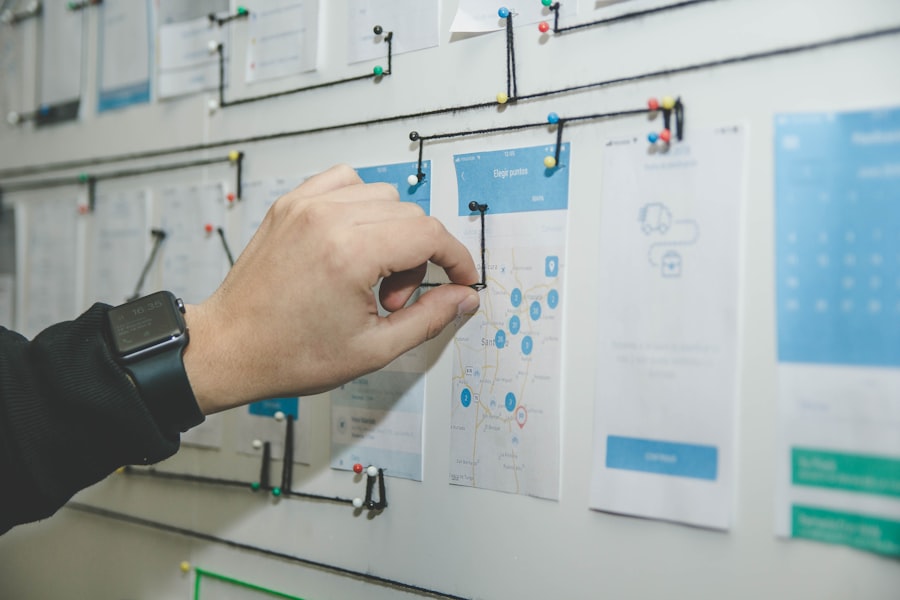
Modern time tracking dashboards give managers real-time visibility into team productivity. Photo: Unsplash
2. Clockify — Best Free Plan
Best for: Budget-conscious teams, startups, and nonprofits that need solid time tracking at no cost
Pricing: Free (unlimited users) · Basic $4.99/user/month · Standard $6.99/user/month · Pro $9.99/user/month · Enterprise $14.99/user/month
Clockify's headline feature is its genuinely free plan — unlimited users, unlimited projects, and unlimited time tracking at no cost. This is rare in the time tracking space, where most tools cap free plans at 5 users or a handful of projects.
Key features:
Free forever plan with unlimited users and projects
Timer, manual entry, and timesheet modes
Project budgeting and cost estimates on paid plans
Kiosk mode for shared-device clock-ins
90+ integrations including Asana, Jira, Trello, and QuickBooks
GPS tracking on Pro plan and above
Why it stands out: For teams that need basic, reliable time tracking without spending anything, Clockify is genuinely hard to beat. The free plan covers the core needs of most small teams, and the paid tiers are among the most affordable in the category.
Limitations: The interface feels dated compared to newer tools. Productivity monitoring and payroll features are limited. Not ideal for teams that need deep analytics or advanced employee monitoring.
3. Toggl Track — Best for Freelancers and Agencies
Best for: Freelancers, consultants, and agencies that need clean billable hour tracking
Pricing: Free (up to 5 users) · Starter $9/user/month · Premium $18/user/month · Enterprise custom
Toggl Track has built its reputation on simplicity and speed. Starting a timer takes one click. Reports are clean and easy to share with clients. And the interface is consistently rated as one of the most intuitive in the category.
Key features:
One-click timer with browser extension and desktop apps
Billable rates and profitability tracking on paid plans
Project forecasting and budget alerts on Premium
Clean client-facing reports
Calendar integration for time blocking
Used by 70,000+ companies including Amazon, LinkedIn, and SAP
Why it stands out: For agencies that bill clients by the hour, Toggl Track's profitability intelligence — available on the Premium plan — shows not just how much time was spent, but whether that time was profitable. This is a genuinely differentiated feature that most competitors don't offer.
Limitations: The free plan is limited to 5 users. No screenshots or employee monitoring features (by design — Toggl has an explicit anti-surveillance policy). Not ideal for companies that need activity-level monitoring.
4. Hubstaff — Best for Field and Remote Teams
Best for: Companies with mobile workers, field teams, or multi-location operations
Pricing: Starter $4.99/seat/month · Grow $7.50/seat/month · Team $10/seat/month · Enterprise $25/seat/month · 14-day free trial
Hubstaff excels in scenarios where employees aren't always at a desk. GPS tracking, geofencing, and automated clock-ins make it the tool of choice for construction companies, field service businesses, and organizations with workers spread across multiple physical locations.
Key features:
GPS tracking and geofencing for location-based clock-ins
Automated time tracking with idle detection
Optional screenshot monitoring (1-3 per 10-minute interval)
App and URL tracking to log which applications are used
Payroll management with direct payment support
Project budgets and overtime alerts
Why it stands out: The GPS and geofencing features are genuinely best-in-class. For a construction company that needs workers to auto-clock when they arrive on site, or a remote team manager who needs location verification, Hubstaff handles these scenarios better than any competitor.
Limitations: The screenshot and monitoring features can feel invasive if not implemented transparently with employees. The dashboard becomes cluttered with all features enabled. Some users report the mobile app lacks certain admin features available on desktop.
5. Time Doctor — Best for Productivity Monitoring
Best for: Remote teams that need detailed productivity analytics and distraction management
Pricing: Basic $6.70/user/month · Standard $11.40/user/month · Premium $20/user/month · 14-day free trial
Time Doctor goes further than most time tracking tools in analyzing how employees actually spend their time. Website and app usage tracking, idle time detection, and a built-in distraction management feature make it popular with BPO companies, outsourcing firms, and remote-first organizations that need deep productivity accountability.
Key features:
Website and app usage tracking with productivity categorization
Idle time detection and distraction alerts
"Poor Time Usage" reports to identify productivity issues
Optional screenshot monitoring
Payroll integration with multiple payment providers
Work-life balance reports to identify burnout risk
Why it stands out: The distraction management feature is unique — if an employee visits a site categorized as unproductive, Time Doctor sends a notification asking them to refocus. This active intervention approach is more effective than passive reporting for teams that struggle with focus.
Limitations: The level of monitoring can feel intrusive to employees. The interface is more complex than simpler tools. Best suited for companies where productivity accountability is the primary concern, not general-purpose time tracking.

Advanced analytics help managers identify productivity patterns across remote teams. Photo: Unsplash
6. Harvest — Best for Invoicing and Client Billing
Best for: Agencies and professional services firms that need seamless time-to-invoice workflows
Pricing: Free (1 seat, 2 projects) · Pro $13.75/seat/month (billed annually)
Harvest has built its reputation in the agency and professional services world by making the journey from tracked hours to client invoice as frictionless as possible. Time entries link directly to projects and clients, invoices generate automatically from billable hours, and integrations with Stripe and PayPal let clients pay online immediately.
Key features:
Time and expense tracking linked to projects and clients
One-click invoice generation from billable hours
Stripe and PayPal payment integration for online invoicing
Project budget tracking with overage alerts
Timesheet reminders and approval workflows
Integrations with Asana, Basecamp, Jira, Slack, and QuickBooks
Why it stands out: No other tool in this category makes the billing workflow as clean as Harvest. For an agency that bills 10-20 clients monthly, the time saved on invoice preparation alone justifies the subscription cost many times over.
Limitations: The Pro plan's per-seat cost adds up quickly for larger teams. No employee monitoring features. Limited reporting depth compared to Hubstaff or Time Doctor.
7. QuickBooks Time — Best for QuickBooks Users
Best for: Businesses already using QuickBooks for accounting and payroll
Pricing: Premium $20/month + $8/user/month · Elite $40/month + $10/user/month · 30-day free trial
QuickBooks Time (formerly TSheets) earns its place on this list through one specific strength: its integration with QuickBooks accounting products is genuinely seamless. Time tracking data flows directly into payroll calculations, job costing reports, and client invoices without any manual data transfer.
Key features:
Native QuickBooks integration for payroll and invoicing
GPS tracking and geofencing
PTO tracking and team scheduling
Project and job costing
Real-time dashboard showing who is currently working
Mobile app for iOS and Android
Why it stands out: If your business runs on QuickBooks, switching to any other time tracking tool creates a data transfer problem. QuickBooks Time eliminates that entirely. Payroll accuracy improvements alone justify the cost for most QuickBooks users.
Limitations: Pricing is less transparent than competitors — the base fee plus per-user cost model makes it more expensive than it initially appears. Reporting functionality has been criticized as cumbersome. Less competitive for teams not using QuickBooks.
8. Connecteam — Best for Hourly and Shift Workers
Best for: Businesses managing hourly employees, shift workers, and deskless teams
Pricing: Free (up to 10 users) · Basic $29/month for 30 users · Advanced $49/month · Expert $99/month
Connecteam takes a different approach from most tools on this list — it's built as a complete employee management platform for deskless and hourly workers, with time tracking as one component of a broader feature set that includes scheduling, communication, and HR management.
Key features:
GPS-enabled time clock with geofencing
Shift scheduling and labor cost management
In-app team communication and announcements
Document management and onboarding checklists
Overtime calculations and break management
Per-location pricing model (unusual in this category)
Why it stands out: For retail, hospitality, construction, and healthcare businesses managing large numbers of hourly workers, Connecteam's flat per-location pricing — rather than per-user pricing — makes it significantly more cost-effective at scale. The free plan for up to 10 users is also genuinely useful for small teams.
Limitations: The breadth of features means the platform is more complex than pure time tracking tools. Teams that only need time tracking may find it unnecessarily complicated.
9. Everhour — Best for Project Management Integration
Best for: Teams that want time tracking embedded directly inside their project management tools
Pricing: Free (up to 5 users) · Team $8.50/user/month (minimum 5 users)
Everhour's defining feature is how deeply it integrates with project management tools. Rather than being a standalone time tracker, Everhour embeds time tracking buttons directly inside Asana, Trello, ClickUp, Jira, and Basecamp — meaning employees can track time without ever leaving the tool they're already working in.
Key features:
Native time tracking inside Asana, Trello, ClickUp, Jira, Basecamp
Budget tracking with real-time alerts
Team scheduling and availability management
Invoicing with Stripe payment integration
Simple, clean interface with minimal learning curve
Why it stands out: Adoption is the biggest challenge with any time tracking tool. Everhour's embedded approach removes the biggest barrier — employees don't need to switch apps or remember to track separately. If your team lives in Asana or ClickUp, Everhour is the most frictionless time tracking option available.
Limitations: Only valuable if you use one of the supported project management integrations. No GPS or location tracking. Limited employee monitoring features.
10. DeskTime — Best for Automatic Productivity Analysis
Best for: Teams that want fully automatic productivity categorization without manual time entry
Pricing: Free (1 user) · Pro $6.42/user/month · Premium $9.17/user/month · Enterprise custom
DeskTime automatically categorizes all computer activity into productive, unproductive, and neutral time — without requiring any manual input from employees. The tool tracks which applications and websites are used and calculates a daily productivity score based on pre-configured categories.
Key features:
Fully automatic time tracking — no timers to start or stop
Automatic productivity categorization of apps and websites
Optional screenshot monitoring with blur privacy option
Private time mode employees can activate for personal use
Absence and shift scheduling management
Project tracking with cost calculation
Why it stands out: The fully automatic approach eliminates time entry friction entirely. And the privacy features — screenshot blurring, private mode — show a more thoughtful approach to employee trust than most monitoring-focused tools. For teams that want automatic productivity insights without invasive surveillance, DeskTime strikes a reasonable balance.
Limitations: Automatic productivity categorization requires configuration — out of the box, some productive tools may be miscategorized. GPS tracking and payroll integration are limited compared to Hubstaff.
Quick Comparison: Best Employee Time Tracking Software
Tool | Best For | Starting Price | Free Plan | Auto Tracking |
|---|---|---|---|---|
WorkSnaply | Remote teams | $3.99/user/mo | 14-day trial | ✅ Yes |
Clockify | Budget teams | Free / $4.99/mo | ✅ Unlimited users | ⚠️ Limited |
Toggl Track | Freelancers | Free / $9/mo | ✅ Up to 5 users | ⚠️ Desktop only |
Hubstaff | Field teams | $4.99/seat/mo | 14-day trial | ✅ Yes |
Time Doctor | Productivity monitoring | $6.70/user/mo | 14-day trial | ✅ Yes |
Harvest | Client billing | Free / $13.75/mo | ✅ 1 seat | ❌ Manual only |
QuickBooks Time | QuickBooks users | $20+$8/user/mo | 30-day trial | ✅ Yes |
Connecteam | Hourly workers | Free / $29/mo | ✅ Up to 10 users | ✅ Yes |
Everhour | PM integration | Free / $8.50/mo | ✅ Up to 5 users | ⚠️ Via integrations |
DeskTime | Auto productivity | Free / $6.42/mo | ✅ 1 user | ✅ Fully automatic |
How to Choose the Right Employee Time Tracking Software
The best time tracking tool is the one your team will actually use consistently. Here's a framework for making the right choice:
Start with your primary use case:
Client billing → Harvest or Toggl Track Premium
Remote team visibility → WorkSnaply or Hubstaff
Hourly workers and field teams → Hubstaff or Connecteam
Zero budget → Clockify free plan
Already using QuickBooks → QuickBooks Time
Project management integration → Everhour
Maximum productivity monitoring → Time Doctor or DeskTime
Consider employee adoption: A tool that managers love but employees resent will fail. Involve team members in the evaluation process, be transparent about what data is collected, and choose tools that respect privacy. Research consistently shows that transparent, privacy-respecting time tracking improves adoption rates and reduces resistance. Read our guide on best time tracking practices for remote teams to learn how to roll out time tracking in a way your team embraces.
Check compliance requirements: For regulated industries (healthcare, finance, legal), verify that your chosen tool supports HIPAA, GDPR, or other relevant compliance standards before committing.
Evaluate total cost of ownership: Most tools use per-user pricing that scales with team size. A tool that costs $5/user/month seems cheap until your team grows to 50 people — at that point it's $250/month. Calculate your actual 12-month cost based on expected team size, not just the per-user price.
Does Employee Time Tracking Actually Improve Productivity?
The evidence is clear: yes, when implemented correctly. Companies that implement employee time tracking software see an average return on investment of 300–500% in the first year. The mechanisms are straightforward:
Awareness effect: Employees who know their time is tracked become more conscious of how they spend it, even before managers review any data
Data-driven decisions: Managers can identify and address inefficiencies they couldn't see before
Accurate billing: Agencies and service firms typically recover 10-20% more billable hours once they switch from manual to automatic tracking
Burnout prevention: Time data reveals overwork patterns before they become retention problems
The important caveat: time tracking implemented as surveillance — with invasive screenshots, constant check-ins, and a culture of distrust — produces the opposite effect. Employee morale drops, trust erodes, and the best performers leave. The tools and practices that work are those that use time data to support employees, not police them.
For more on building a productivity culture that actually works, see our complete guide on how to improve employee productivity in remote teams. And if you're losing money without proper tracking in place, read our breakdown of how remote companies lose money without time tracking.
Final Thoughts
The best employee time tracking software depends entirely on your team's specific needs, size, and culture. There's no single right answer — but there are clearly wrong ones for your situation.
For most remote teams, the choice comes down to three options: WorkSnaply for the best balance of visibility and employee trust, Clockify if budget is the primary constraint, or Toggl Track if client billing is the core use case.
Whatever you choose, implement it transparently. Tell your team what data is collected, why it's collected, and how it will be used. Teams that understand the purpose of time tracking consistently show higher adoption rates and better outcomes than those where tracking is implemented without explanation.
Once you've chosen your tool, make sure you're using it effectively — our guide on time management tips for managers covers exactly how to use time data to lead your team more effectively.
Try the #1 Time Tracking Tool for Remote Teams
WorkSnaply gives your team automatic time tracking, project-level insights, and productivity reports — without screenshots or keystroke monitoring. Join 15,000+ teams across 50+ countries who trust WorkSnaply to manage their remote workforce.
Start Your Free 14-Day Trial — No Credit Card Required
Frequently Asked Questions
What is the best free employee time tracking software?
Clockify offers the most generous free plan in the category — unlimited users, unlimited projects, and unlimited time tracking at no cost. For teams with up to 5 users, Toggl Track's free tier is also worth considering for its cleaner interface and better reporting.
Is employee time tracking legal?
In most countries, yes — with important conditions. Employers generally have the right to monitor work activity on company devices and during work hours, but must typically inform employees that monitoring is occurring. Requirements vary by jurisdiction, so consult local employment law before implementing any monitoring features. Tools like WorkSnaply and DeskTime offer transparent employee-facing dashboards specifically to support legal compliance.
How much does employee time tracking software cost?
Entry-level paid plans typically range from $4 to $10 per user per month, with enterprise features and monitoring capabilities costing $15-25+ per user per month. Most tools offer annual billing discounts of 10-20%. For small teams, free plans from Clockify or Toggl Track provide a good starting point before committing to paid software.
What is the difference between time tracking and employee monitoring software?
Time tracking records how many hours employees work and which projects they spend time on. Employee monitoring goes further — capturing screenshots, tracking websites and applications visited, measuring keystrokes, and sometimes recording video. Many tools (like Hubstaff and Time Doctor) combine both. For a detailed breakdown, see our guide on best employee monitoring software.
Does time tracking software work for remote employees?
Yes — in fact, time tracking provides the most value for remote teams, where managers can't observe work activity directly. The key is choosing tools that work seamlessly across the devices and environments your remote team uses, with strong mobile app support and automatic (rather than manual) tracking to ensure data accuracy regardless of where employees are working. See our remote work best practices guide for a complete framework.