The Best Employee Monitoring Software in 2026: Complete Buyer's Guide
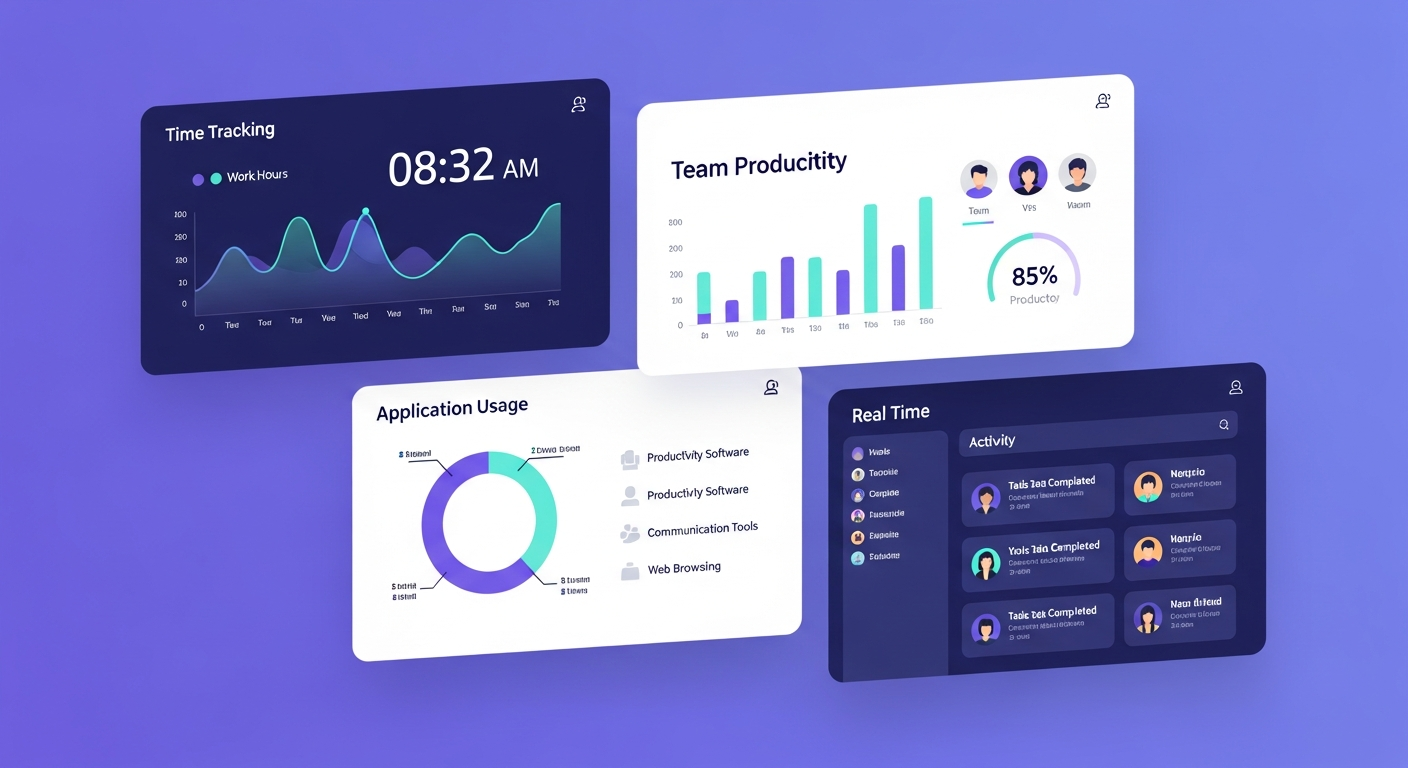
Employee monitoring software has evolved dramatically. This comprehensive guide reviews the top 15 tools of 2026 — covering features, pricing, privacy considerations, comparison tables, and real-world use cases to help you choose the right one.
Quick answer: Employee monitoring software records work activity (time, apps, websites, sometimes screenshots) to measure productivity, protect data and document compliance. In most places it is legal when employees are told in advance and the data is used for a legitimate business purpose, and some jurisdictions, such as New York, require written notice. Choose by what you need to measure (time and attendance, productivity analytics or security), and prefer tools that show employees their own data.
Employee monitoring software has evolved dramatically. What once felt like "Big Brother" surveillance has transformed into intelligent productivity tools that benefit both employers and employees.
But with over 100 options on the market, how do you choose the right one?
This comprehensive guide reviews the best employee monitoring software of 2026, covering features, pricing, privacy considerations, and real-world use cases. Whether you're managing a remote team of 5 or an enterprise of 5,000, this guide will help you make the right decision.
What is Employee Monitoring Software?
Definition & Modern Context
Employee monitoring software tracks employee activity during work hours to improve productivity, ensure security, and manage remote teams effectively.
Modern monitoring includes:
- Time tracking — hours worked, breaks
- Activity monitoring — apps and websites used
- Productivity analysis — active vs idle time
- Screenshots — optional, configurable
- Project tracking — time per task/client
- Team analytics — capacity, workload distribution
What it's NOT:
- 24/7 surveillance of personal life
- Keystroke logging of passwords/personal messages
- Webcam spying
- Location tracking outside work hours (without consent)
The 2026 shift: Modern tools prioritize productivity insights over surveillance, with strong privacy controls and transparency.
Why Companies Use Monitoring Software
The Remote Work Reality
The remote work explosion has fundamentally changed the workplace:
- Remote and hybrid work is now a normal part of how many U.S. companies operate
- Many companies plan to keep remote or hybrid policies in place
- Distributed teams across time zones need visibility
Without monitoring tools, companies face:
- Visibility gaps: Can't see who's working on what
- Accountability issues: No way to verify work completion
- Resource misallocation: Don't know who's overloaded vs underutilized
- Billing inaccuracy: Service businesses lose 15-30% revenue to unbilled hours
- Security risks: Can't detect data breaches or policy violations
Legitimate Business Use Cases
1. Remote Team Management
- Ensure distributed teams stay productive
- Balance workload across time zones
- Prevent burnout by seeing overwork early
2. Time & Billing Accuracy
- Capture all billable hours (agencies, consultancies)
- Accurate client invoicing
- Project profitability analysis
3. Productivity Optimization
- Identify bottlenecks and inefficiencies
- See what tools/processes waste time
- Data-driven workflow improvements
4. Compliance & Security
- Meet industry regulations (HIPAA, SOC 2)
- Detect insider threats
- Audit trails for investigations
5. Performance Management
- Objective data for reviews (not just manager opinion)
- Identify top performers and training needs
- Fair, evidence-based evaluations
Types of Employee Monitoring
Understanding the Spectrum
1. Time Tracking Only (Least Invasive)
- Logs hours worked
- No activity detail
- Example: Basic punch clock systems
2. Automatic Time Tracking
- Tracks which apps/projects you work on
- Categorizes time automatically
- Example: WorkSnaply, Timely
3. Activity Monitoring
- Records apps and websites used
- Productivity scoring
- Active vs idle time
- Example: ActivTrak, Teramind
4. Screenshot Monitoring
- Periodic screenshots (every 5-10 minutes)
- Blur sensitive info option
- Example: Hubstaff, Time Doctor
5. Comprehensive Monitoring
- Everything above plus: email monitoring, file transfer tracking, USB device usage, print logs
- Example: Teramind (high security mode)
The 2026 trend: Most companies opt for levels 2-3 (automatic time tracking + light activity monitoring) with strong privacy controls.
Key Features to Look For
Must-Have Capabilities
1. Automatic Time Tracking
Runs in background with no manual timer management. Captures all work automatically.
Why it matters: Manual tracking depends on people remembering to start and stop a timer, so records often have gaps. Automatic tracking captures work without that effort. Learn more in our manual vs automatic time tracking comparison.
2. Productivity Analytics
- App/website categorization
- Productive vs unproductive time
- Team capacity dashboard
- Burnout alerts
Why it matters: Turn raw data into actionable insights.
3. Privacy Controls
- Employee visibility into their own data
- Blur sensitive information
- Work-hours-only tracking
- Exclude specific apps (banking, healthcare)
Why it matters: Trust and compliance.
4. Screenshots (Optional)
- Configurable frequency (or off completely)
- Blur mode available
- Employee-controlled pause
Why it matters: Some clients require proof of work.
5. Integrations
- Project management tools (Asana, Jira)
- Communication platforms (Slack, Teams)
- Accounting software (QuickBooks, Xero)
- Single sign-on (SSO)
Why it matters: Data silos reduce usefulness. See our best team management software guide for compatible tools.
6. Reporting & Exports
- Custom reports, scheduled delivery
- CSV/PDF export
- API access
7. Multi-Platform Support
- Windows, Mac, Linux
- Mobile apps (iOS, Android)
- Web-based dashboard
8. Team Management
- Role-based permissions
- Department/team grouping
- Manager hierarchy
- Approval workflows
Top 15 Employee Monitoring Software in 2026
1. WorkSnaply — Best for Remote Teams ⭐
Overview: Privacy-first time tracking with a background timer and team reports. Built specifically for remote and hybrid teams.
Key Features:
- Timer that keeps running in the background once you start it
- Optional screenshots (off by default)
- Project budget tracking
- Privacy controls (work hours only, exclude apps)
Best For: Remote-first companies, agencies and consultancies, teams prioritizing trust over surveillance, 5-1,000+ employees
Pricing:
- Plans from $3.99/user/month (see the pricing page)
- Professional: $10/user/month
- Enterprise: Custom (25+ users)
- Free trial: 14 days
Pros:
- ✅ Automatic tracking
- ✅ Privacy-first design (builds trust)
- ✅ Strong integrations (Asana, Jira, Slack)
Cons:
- ⚠️ Screenshots optional (some clients need this)
- ⚠️ Newer than legacy tools
Rating: ⭐⭐⭐⭐⭐ 4.8/5 (our editorial rating)
Website: worksnaply.com
2. Hubstaff
Overview: Screenshot-focused monitoring with GPS tracking. Popular with field service and remote teams.
Key Features:
- Time tracking with screenshots
- Activity levels monitoring
- GPS location tracking (mobile)
- Automatic payroll
- Invoicing
- Project budgets
Best For: Field service companies, teams requiring proof of work, contractors and freelancers, 5-500 employees
Pricing:
- Starter: $7/user/month (limited features)
- Grow: $9/user/month
- Team: $12/user/month
- Enterprise: $25/user/month
Pros: ✅ Strong screenshot capability ✅ GPS tracking for field workers ✅ Good mobile apps ✅ Payroll integration
Cons: ⚠️ Screenshot-heavy (can feel invasive) ⚠️ Activity monitoring can be inaccurate ⚠️ Mobile app drains battery
"Great for our field service team. GPS tracking helps with routing. Screenshots provide accountability for remote workers." — Mike R., Operations Manager
Rating: ⭐⭐⭐⭐☆ 4.3/5
Website: hubstaff.com
3. Time Doctor
Overview: Comprehensive monitoring with focus on productivity tracking and time optimization.
Key Features:
- Time tracking with optional screenshots
- Website and app monitoring
- Distraction alerts
- Client login access
- Payroll integration
- Productivity ratings
Best For: BPO and outsourcing companies, agencies with client reporting needs, 10-1,000+ employees
Pricing:
- Basic: $7/user/month
- Standard: $10/user/month
- Premium: $20/user/month
Pros: ✅ Client portal (clients see proof of work) ✅ Distraction alerts ✅ Strong reporting ✅ Payroll features
Cons: ⚠️ Feels surveillance-heavy ⚠️ Pop-up alerts disrupt flow ⚠️ Privacy concerns from employees
"Works well for outsourced teams. Clients love the transparency. But our in-house team felt micromanaged." — Lisa K., Agency Owner
Rating: ⭐⭐⭐⭐☆ 4.2/5
Website: timedoctor.com
4. ActivTrak
Overview: Behavior analytics and productivity coaching platform. Less about surveillance, more about insights.
Key Features:
- Automatic activity tracking
- Productivity scoring
- Team analytics
- Coaching insights
- No screenshots
- Alarms for risky behavior
Best For: Companies prioritizing coaching over monitoring, productivity improvement focus, 50-5,000+ employees
Pricing:
- Free: Up to 3 users
- Essentials: $10/user/month
- Professional: $17/user/month
- Enterprise: Custom
Pros: ✅ Analytics-focused (not surveillance) ✅ Productivity coaching ✅ No screenshots (less invasive) ✅ Good for culture of trust
Cons: ⚠️ No proof-of-work for clients ⚠️ Requires interpretation ⚠️ Can't track offline work
"Less Big Brother, more productivity partner. Team accepted it because it helps them, not just monitors them." — David P., HR Director
Rating: ⭐⭐⭐⭐☆ 4.4/5
Website: activtrak.com
5. Teramind
Overview: Enterprise-grade monitoring with focus on security, compliance, and insider threat detection.
Key Features:
- Comprehensive monitoring (email, files, web)
- Keystroke logging (optional)
- Screen recording
- Behavior analytics
- DLP (Data Loss Prevention)
- UEBA (User Entity Behavior Analytics)
Best For: Highly regulated industries (finance, healthcare), security-focused organizations, insider threat prevention, 100-10,000+ employees
Pricing:
- Starter: $10/user/month
- UAM: $20/user/month
- DLP: $25/user/month
- Enterprise: Custom
Pros: ✅ Most comprehensive monitoring ✅ Strong security features ✅ Compliance support (HIPAA, SOC 2) ✅ Insider threat detection
Cons: ⚠️ Very invasive (keystroke logging, email) ⚠️ Expensive ⚠️ Complex setup ⚠️ Employee pushback likely
"Necessary for our financial services compliance. Detected 2 potential data breaches before damage. But it's heavy-handed for everyday productivity." — Jennifer S., CISO
Rating: ⭐⭐⭐⭐☆ 4.1/5
Website: teramind.com
6. DeskTime
Overview: Automatic time tracking with productivity features. Good balance of monitoring and privacy.
Key Features:
- Automatic time tracking
- App and URL tracking
- Screenshots (optional)
- Absence calendar
- Shift scheduling
- Project tracking
Best For: European companies (GDPR compliant), small to medium businesses, 5-200 employees
Pricing:
- Lite: $7/user/month (no screenshots)
- Pro: $10/user/month
- Premium: $20/user/month
- Enterprise: Custom
Pros: ✅ GDPR compliant ✅ Clean interface ✅ Good productivity insights ✅ European data centers
Cons: ⚠️ Limited integrations ⚠️ Basic reporting ⚠️ No mobile app
"Clean, simple, respects privacy. Perfect for our European team." — Hans M., Operations Lead
Rating: ⭐⭐⭐⭐☆ 4.3/5
Website: desktime.com
7. Toggl Track
Overview: Simple time tracking focused on hours, not activity. Minimal monitoring.
Key Features:
- Manual time tracking
- One-click timers
- Project categorization
- Basic reporting
- Calendar view
- Integrations
Best For: Teams wanting tracking without monitoring, freelancers, small agencies, 1-50 employees
Pricing:
- Free: Up to 5 users
- Starter: $9/user/month
- Premium: $16/user/month
Pros: ✅ Simple, non-invasive ✅ Trusted brand ✅ Good UX ✅ Strong integrations
Cons: ⚠️ Manual tracking (compliance issues) ⚠️ No activity monitoring ⚠️ No productivity insights
"Not really 'monitoring'—just time tracking. But that's what we wanted." — Emma T., Freelancer
Rating: ⭐⭐⭐⭐☆ 4.5/5
Website: toggl.com
8. Clockify
Overview: Free time tracking for unlimited users. Basic but functional.
Key Features:
- Time tracking
- Timesheets
- Reports
- Project tracking
- Team dashboard
Best For: Budget-conscious teams, startups, basic time tracking needs, unlimited users (free)
Pricing:
- Free: Unlimited users
- Basic: $3.99/user/month
- Standard: $5.49/user/month
- Pro: $7.99/user/month
Pros: ✅ Free for unlimited users ✅ Simple, easy to use ✅ Good enough for basic needs
Cons: ⚠️ Very basic features ⚠️ Manual tracking only ⚠️ No monitoring/analytics
"Can't beat free. Does basic time tracking well." — Paul K., Startup Founder
Rating: ⭐⭐⭐⭐☆ 4.2/5
Website: clockify.me
9. Insightful (formerly Workpuls)
Overview: Automatic time tracking and productivity monitoring. Good middle ground.
Key Features:
- Automatic time tracking
- App and website monitoring
- Screenshots (optional)
- Productivity analysis
- Attendance tracking
- Integrations
Best For: Remote and hybrid teams, mid-size companies, 20-500 employees
Pricing:
- Employee Monitoring: $8/user/month
- Time Tracking: $10/user/month
- Enterprise: Custom
Pros: ✅ Good balance of features ✅ Automatic tracking ✅ Reasonable pricing ✅ GDPR compliant
Cons: ⚠️ Screenshot feature not as robust ⚠️ Limited customization ⚠️ Customer support inconsistent
"Solid middle-ground option. Not as advanced as Teramind, not as simple as Toggl." — Maria G., HR Manager
Rating: ⭐⭐⭐⭐☆ 4.1/5
Website: insightful.io
10. Controlio
Overview: Stealth monitoring option. Can run hidden (ethically questionable).
Key Features:
- Stealth mode
- Screen recording
- Keystroke logging
- Social media monitoring
- Email monitoring
Best For: Investigating specific incidents, high-security environments. NOT recommended for general use.
Pricing:
- Cloud: $7.99/user/month
- Cloud Pro: $11.99/user/month
Pros: ✅ Comprehensive monitoring ✅ Detailed logs ✅ Affordable
Cons: ⚠️ Stealth mode = huge ethical/legal concerns ⚠️ Employee trust destroyed if discovered ⚠️ May be illegal in some jurisdictions ⚠️ We do NOT recommend this approach
Rating: ⭐⭐☆☆☆ 2.5/5 (due to ethical concerns)
Website: controlio.net
Note: We include this only for completeness. Stealth monitoring without employee knowledge is unethical and illegal in many places. Use transparency instead.
11. TimeDoctor (Different from Time Doctor)
Overview: Yes, there are two similarly named products. This one focuses on productivity insights.
Best For: Small teams, basic needs
Pricing: $7/user/month
Rating: ⭐⭐⭐☆☆ 3.8/5
12. InterGuard
Overview: Security-focused monitoring for enterprises.
Best For: Large corporations, security compliance
Pricing: Custom (enterprise only)
Rating: ⭐⭐⭐⭐☆ 4.0/5
13. Veriato (formerly SpectorSoft)
Overview: Insider threat detection and forensic monitoring.
Best For: Security investigations, high-risk industries
Pricing: Custom
Rating: ⭐⭐⭐⭐☆ 3.9/5
14. Work Examiner
Overview: Affordable monitoring for small businesses.
Best For: Small offices, basic monitoring
Pricing: $6/user/month
Rating: ⭐⭐⭐☆☆ 3.7/5
15. Kickidler
Overview: Monitoring tool with screen recording focus.
Best For: Companies needing screen recording capabilities
Pricing: $4/user/month
Rating: ⭐⭐⭐☆☆ 3.6/5
How we use WorkSnaply at Clipping Path CA
Clipping Path CA is our own photo editing agency, doing post-production work for photographers and e-commerce brands. We have used WorkSnaply internally for about a year, which is also how we learned what a time tracker needs to do well.
What we use it for:
- Time tracking and billing: tracking the hours spent on each client job so invoices match the real work.
- Production Hub: following editing output per person and per job in one place.
- Attendance: seeing who is online and when, instead of relying on end-of-day reports.
What changed: once work and attendance were visible every day, our editors' output, productivity and attendance all improved. We have not run a controlled before-and-after measurement, so we are not quoting percentages. The biggest practical change was that we stopped guessing which jobs took the most time.
Disclosure: WorkSnaply and Clipping Path CA are both our businesses, so treat this as our own experience, not an independent review.
Comparison & Decision Matrix
Quick Comparison Table
| Software | Best For | Privacy Level | Starting Price | Rating | Screenshots |
|---|---|---|---|---|---|
| WorkSnaply | Remote teams | High | $5/user/mo | 4.8/5 | Optional (off) |
| Hubstaff | Field service | Medium | $7/user/mo | 4.3/5 | Required |
| Time Doctor | BPO/Agencies | Medium-Low | $7/user/mo | 4.2/5 | Required |
| ActivTrak | Coaching focus | High | $10/user/mo | 4.4/5 | None |
| Teramind | Security/Compliance | Low | $10/user/mo | 4.1/5 | Yes + more |
| DeskTime | EU companies | High | $7/user/mo | 4.3/5 | Optional |
| Toggl | Time only | Very High | $0-9/user/mo | 4.5/5 | None |
| Clockify | Budget | Very High | Free | 4.2/5 | None |
| Insightful | Mid-size teams | Medium | $8/user/mo | 4.1/5 | Optional |
| Controlio | Stealth (NOT RECOMMENDED) | None | $7.99/user/mo | 2.5/5 | Yes + stealth |
Decision Matrix: Which Tool is Right for You?
Choose WorkSnaply if:
- ✅ You manage remote/hybrid teams
- ✅ You want a timer that keeps running in the background
- ✅ Privacy and trust are priorities
- ✅ You want clear reports on team time
- ✅ You want attendance and leave in the same tool
- ✅ You're an agency tracking billable hours
Choose Hubstaff if:
- ✅ You have field service workers
- ✅ GPS tracking is essential
- ✅ Clients require screenshot proof
- ✅ You pay contractors by the hour
Choose Time Doctor if:
- ✅ You run a BPO or outsourcing company
- ✅ Client transparency is critical
- ✅ You need distraction alerts
- ✅ Payroll integration is important
Choose ActivTrak if:
- ✅ You want coaching over monitoring
- ✅ Company culture values trust
- ✅ You need productivity analytics only
- ✅ Screenshots feel too invasive
Choose Teramind if:
- ✅ You're in a highly regulated industry (finance, healthcare)
- ✅ Insider threat detection is priority
- ✅ Compliance requires comprehensive monitoring
- ✅ Budget supports enterprise pricing
Choose Toggl/Clockify if:
- ✅ You only need time tracking (no monitoring)
- ✅ Budget is very limited
- ✅ Team is small and trusted
- ✅ Simple is better
Privacy & Legal Considerations
For example, New York Civil Rights Law 52-c requires employers that monitor employee phone, email or internet use to give prior written notice. Rules differ by country and state, so confirm requirements with an employment lawyer before you deploy anything.
The Ethics of Employee Monitoring
The golden rule: Transparency over stealth.
Modern monitoring should be:
- Disclosed upfront — employees know they're monitored
- Reasonable — work-related only, not personal life
- Consensual — employees agree to terms
- Beneficial — helps employees, not just management
Legal Requirements by Region
United States
- Federal: No broad federal law (ECPA has employer exceptions)
- State laws vary: California (CCPA), Connecticut, Delaware, New York require disclosure/consent
- Safe practice: Always disclose, get written consent
European Union (GDPR)
- Must have legitimate business interest
- Must be proportionate (least invasive method)
- Must notify employees clearly
- Employees have right to access their data
- Cannot monitor personal communications
- Penalties: Up to €20 million or 4% of global revenue
United Kingdom (UK GDPR + DPA 2018)
- Similar to EU GDPR
- Must conduct Data Protection Impact Assessment
- Must consult with employees or unions
Canada
- Federal: PIPEDA requires consent
- Provincial laws also apply (Quebec's Law 25)
- Must disclose monitoring practices
Australia
- Workplace Surveillance Act (varies by state)
- Must notify 14 days in advance (NSW)
- Cannot monitor outside work hours
Key takeaway: Consult local employment lawyer before implementing monitoring. Laws vary significantly.
Best Practices for Ethical Monitoring
- Transparency First — Tell employees BEFORE implementing. Explain what's monitored, why, and how data is used.
- Focus on Work, Not Personal Life — Monitor only during work hours. Exclude personal apps/websites.
- Give Employees Access to Their Data — Let them see what you see. Provide personal productivity dashboards.
- Use Data for Good — Identify training needs, prevent burnout, optimize workflows, fair performance reviews.
- Don't Use Data for Bad — No micromanagement, no punitive measures based solely on metrics, no culture of fear.
- Respect Privacy Settings — Allow pausing for breaks, blur sensitive information in screenshots.
Implementation Best Practices
How to Roll Out Monitoring Successfully
Phase 1: Planning (Week 1-2)
- Define Goals: Why do you need monitoring? Be specific. Good: "Capture billable hours accurately." Bad: "Make sure employees aren't slacking."
- Choose Right Tool: Use the decision matrix above. Start with least invasive option.
- Develop Policy: What will be monitored, when, how data is used, employee rights. Review by legal counsel.
Phase 2: Communication (Week 3-4)
- Announce to Team: All-hands meeting (not email). Explain business rationale honestly. Address privacy concerns upfront. Show how employees benefit.
- Provide Written Policy: Distribute monitoring policy document. Require signed acknowledgment.
Phase 3: Pilot (Week 5-6)
- Start with Volunteers: Invite 3-5 team members to test. Get feedback. Iterate on settings.
- Evaluate Pilot: Did it meet goals? What needs adjusting?
Phase 4: Rollout (Week 7-8)
- Full Team Deployment: Install software on all devices. Provide training (30-60 minutes). Leadership uses it too (lead by example).
- Monitor Adoption: Check that everyone is using it consistently. Identify holdouts and address concerns.
Phase 5: Optimization (Ongoing)
- Weekly Reviews: Check key metrics, address issues quickly
- Monthly Analysis: Deep dive on patterns, make workflow changes based on data
- Quarterly Feedback: Survey team: is this helping or hurting? Adjust settings based on feedback.
ROI & Success Metrics
Measuring Value of Monitoring Software
Typical investment:
- Software: $5-20/user/month
- Implementation: 20-40 hours
- Training: 2-4 hours per person
- Total first-year: $8,000-$15,000 (for 20-person team)
Typical returns:
- Captured Billable Hours: Agencies often recover billable time that was previously untracked. For 20-person agency: $150,000-$250,000/year
- Improved Productivity: Data-driven optimization: 10-20% gain. 20 people × $50/hr × 40 hrs/week × 15% = $624,000/year
- Prevented Turnover: Catch burnout early. Each prevented turnover: $50,000-$150,000 saved
- Better Resource Allocation: Delay unnecessary hiring by 6 months: $60,000+ saved
- Reduced Meeting Time: Status updates automated. 20-30% meeting time reduction
Conservative ROI calculation: Investment: $12,000 | Return: $250,000 (just from billable hours) | ROI: 1,983%
Even capturing just 10% of these benefits = 10x ROI.
Success Metrics to Track
- Productivity: Tasks completed/week, project delivery time, on-time delivery rate
- Financial: Billable utilization rate, revenue per employee, project profitability
- Team Health: Average work hours/week, overtime frequency, turnover rate, employee satisfaction
- Efficiency: Meeting time %, focus time %, context-switching frequency
Goal: Improvement in 4+ metrics within 6 months.
Related reading
- Keystroke Recorder Online: Complete Guide (2026)
- 12 Signs You Are Being Monitored at Work (And What to Do)
- Hubstaff Pricing: Plans, Costs & Is It Worth It? (2026)
- Toggl Track Reviews 2026: Honest Pros, Cons & User Ratings
Frequently Asked Questions
Q: Is employee monitoring legal?
Generally yes, with proper disclosure. Laws vary by location. Requirements typically include: notify employees before monitoring, have legitimate business purpose, use reasonable methods, protect data. Always consult employment lawyer in your jurisdiction. In the US, rules vary by state; for example, New York requires prior written notice of electronic monitoring. In the EU, GDPR requires a lawful basis and proportionality.
Q: Do I need to tell employees they're being monitored?
YES. In most jurisdictions, secret monitoring is illegal. Ethically, transparency is essential. Hidden monitoring destroys trust and backfires.
Q: Will monitoring hurt company culture?
Depends on implementation. Stealth monitoring, punitive use, and micromanagement = culture killer. Transparent, helpful, trust-building use = culture enhancer. Keys: communication, fairness, employee benefit.
Q: Can employees disable or pause monitoring?
Depends on your policy and tool. Best practice: Allow pausing for breaks and personal tasks. Require it during work hours. Trust employees to use reasonably. WorkSnaply and similar tools allow pause functionality.
Q: How long should we keep monitoring data?
Active data: 90 days (detailed). Aggregate data: 2 years (trends). Delete individual activity logs after 90 days. Consider legal requirements for your industry.
Q: Is keystroke logging acceptable?
Generally considered invasive and unnecessary. Exceptions: security investigations (specific incident), high-security environments (with disclosure). For general productivity: NOT recommended.
Q: How do we handle employee pushback?
Listen and address concerns: understand specific worries, explain benefits to employees, provide transparency, offer privacy controls, be open to feedback. If pushback is widespread, your approach may be too invasive.
Q: What's the difference between monitoring and surveillance?
Monitoring (good): Transparent, focuses on productivity, benefits both sides, respects privacy. Surveillance (bad): Hidden, focuses on catching mistakes, benefits only management, invades privacy. Aim for monitoring, not surveillance.
Q: Can monitoring improve work-life balance?
Yes! When used to prevent overwork: see who's working 50+ hours consistently, redistribute workload before burnout, enforce boundaries, give data-driven permission to disconnect. WorkSnaply's reports help managers see how team hours are distributed.
Q: How do we monitor without micromanaging?
Focus on outcomes, not minutiae. Track weekly productivity trends, project completion rates, workload balance. Don't question why someone was idle for 3 minutes. Manager discipline: don't obsess over real-time data.
Q: Is monitoring a substitute for management?
No. Monitoring provides data. Management provides direction, coaching, relationships, and judgment. Monitoring + good management = powerful combination. Monitoring alone ≠ management.
The Bottom Line
Employee monitoring software is a tool, not a solution.
Used well: Provides valuable productivity insights, helps manage remote teams effectively, captures billable hours accurately, prevents burnout proactively, supports data-driven decisions.
Used poorly: Destroys trust, creates culture of fear, drives away top talent, violates privacy and possibly law.
The difference? Transparency, ethics, and intention.
Our Recommendation
For most remote teams, we recommend WorkSnaply. Why: a timer that keeps running in the background once started, optional screenshots (privacy-first design), attendance and leave tracking, invoicing from tracked hours, and pricing from $3.99/user/month.
Not for: high-security environments needing comprehensive monitoring (use Teramind), field service requiring GPS (use Hubstaff), BPO needing client-facing proof (use Time Doctor).
Start with WorkSnaply, add others if specific needs arise.
Try WorkSnaply Free for 14 Days
See how privacy-first monitoring can transform your remote team.
- ✅ Timer that keeps running in the background once started
- ✅ Optional screenshots (off by default)
- ✅ Strong privacy controls
No credit card required. Cancel anytime.
Related Articles
- How Remote Companies Lose Money Without Time Tracking
- Best Team Management Software in 2026
- Remote Work Best Practices: Complete Guide
- Best Time Management Apps in 2026
- Manual vs Automatic Time Tracking
- 10 Time Tracking Tips That Actually Work
- The Freelancer's Guide to Time Tracking
- 5 Signs Your Team Needs Time Tracking
Disclaimer: This article provides general information about employee monitoring software and should not be construed as legal advice. Laws regarding employee monitoring vary significantly by jurisdiction. Consult with qualified employment law counsel in your region before implementing monitoring practices.
Last updated: March 12, 2026