How to Calculate Productivity Per Employee: Formulas, Methods & Benchmarks
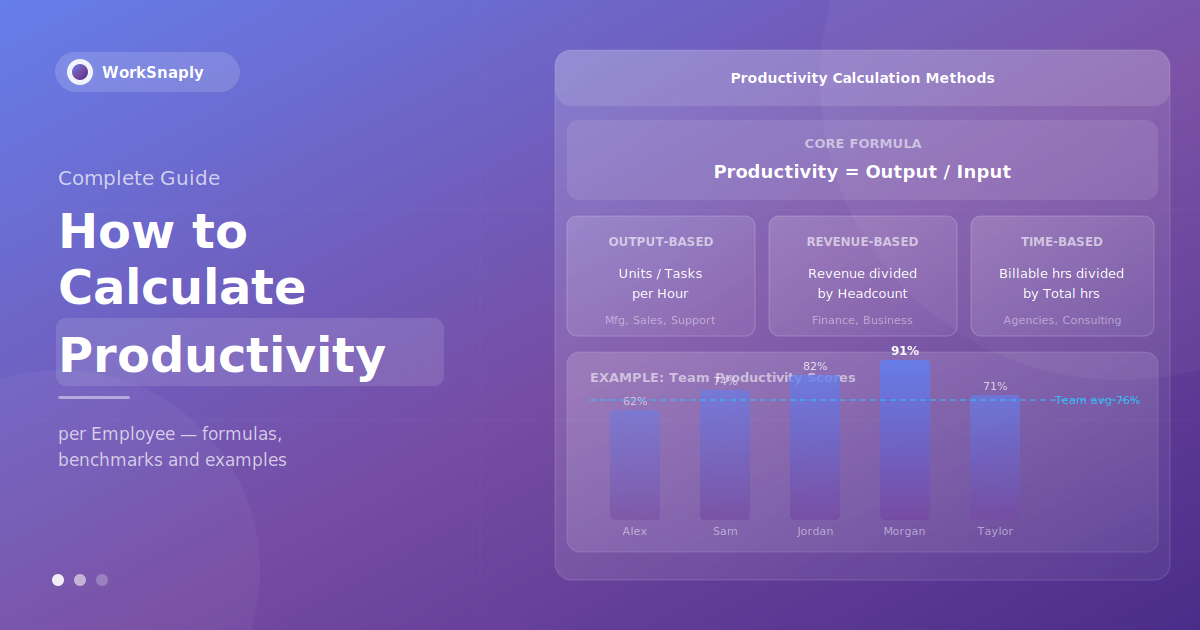
Learn how to calculate productivity per employee with simple formulas, five methods, worked examples by role and tips for measuring remote teams.
Quick answer: Employee productivity = total output / total input (usually hours worked). For a company-wide view, use revenue per employee = total revenue / number of employees. Pick output units that fit the role (units made, tickets resolved, deals closed, billable hours), then compare each person to the team average over the same period.
Gallup estimates that low employee engagement cost the global economy about $10 trillion in lost productivity in 2024, around 9% of global GDP (Gallup, 2025). Measuring productivity per employee is how you find where that loss starts in your own team.
Calculating productivity per employee gives you an objective measure of how much output your team generates relative to the time and resources they invest. Done well, it replaces gut-feel management with data-driven decisions: who needs support, which workflows are creating friction, where resources should be reallocated, and whether improvement initiatives are actually working.
This guide covers every major method for calculating employee productivity — from the foundational formula to industry-specific approaches — with real examples, benchmarks, and guidance on choosing the right metric for your team.
What Is Employee Productivity?
Employee productivity is the ratio of output to input, measured at the individual, team, or organizational level. At its core:
Productivity = Output ÷ Input
The challenge is defining "output" and "input" in a way that's meaningful for your specific context. A factory worker's output is measurable in units produced. A software engineer's output is measured in features shipped, bugs fixed, or code reviewed. A salesperson's output is revenue closed or calls completed. A knowledge worker's output — creating strategies, solving problems, building relationships — is the hardest to quantify and the most commonly measured incorrectly.
Before choosing a formula, understand what you're actually trying to measure and why. The right metric depends on your team type, business model, and what decisions the data will inform.
Productivity vs. Efficiency: An Important Distinction
These terms are frequently confused, and conflating them leads to poor decisions:
- Productivity measures how much you produce relative to input — it's about volume. A sales team that closes 100 deals per month is more productive than one that closes 60.
- Efficiency measures how well you use your resources — it's about quality of effort. A rep who closes 25 deals from 800 calls (3.1% conversion) is more efficient than one who closes 30 deals from 3,000 calls (1% conversion), even though the first rep appears less productive by raw output.
High productivity with low efficiency means you're generating output but burning resources to do it. High efficiency with low productivity means your process is excellent but your scale or capacity is the constraint. Track both separately — they point to different interventions.
The Core Productivity Formula
The most widely used base formula for employee productivity is:
Employee Productivity = Total Output ÷ Total Input
Where input is typically hours worked and output is the relevant unit of work produced
Example: A customer support agent resolves 240 tickets in a 40-hour work week.
- Output: 240 tickets resolved
- Input: 40 hours
- Productivity: 240 ÷ 40 = 6 tickets per hour
This gives you a per-hour productivity rate that you can track over time, compare across team members, and benchmark against targets. The simplicity is the point — this formula works for any measurable output.
5 Methods to Calculate Employee Productivity
Method 1: Output-Based Productivity
Output-based calculation is the most straightforward and most accurate for roles with clearly countable deliverables.
Output-Based Productivity = Units Produced ÷ Hours Worked
Best for: Manufacturing, sales, customer support, data entry, content creation — any role where output can be counted.
Examples by role:
- Sales rep: 15 deals closed ÷ 160 hours = 0.094 deals per hour
- Support agent: 320 tickets resolved ÷ 40 hours = 8 tickets per hour
- Content writer: 8 articles published ÷ 160 hours = 0.05 articles per hour (or 20 hours per article)
- Developer: 12 story points completed ÷ 40 hours = 0.3 story points per hour
Important caveat: Output-based metrics can create perverse incentives if quality isn't measured alongside quantity. A support agent who closes 12 tickets per hour by rushing and leaving customers unsatisfied is less valuable than one who closes 8 per hour with high satisfaction scores. Always pair output metrics with quality indicators.
Method 2: Revenue Per Employee
Revenue per employee is the most commonly used business-level productivity metric, offering a clear connection between workforce size and financial output.
Revenue Per Employee = Total Annual Revenue ÷ Total Employee Count
Examples:
- A company generating $5M revenue with 25 employees: $5,000,000 ÷ 25 = $200,000 per employee
- A company generating $12M revenue with 40 employees: $12,000,000 ÷ 40 = $300,000 per employee
Industry benchmarks for revenue per employee:
- Software/SaaS: $200,000 – $500,000+ per employee (high-margin, scalable models)
- Professional services: $150,000 – $300,000 per employee
- Retail: $100,000 – $200,000 per employee
- Manufacturing: $150,000 – $350,000 per employee
- Healthcare: $100,000 – $200,000 per employee
Revenue per employee is most useful for strategic headcount decisions and cross-company benchmarking. It's less useful for individual performance management, since most employees don't directly control revenue.
Method 3: Time-Based Productivity (Billable Hours Ratio)
For agencies, consultancies, law firms, and any business that bills clients for time, the billable hours ratio is the most important productivity metric.
Billable Hours Ratio = Billable Hours ÷ Total Hours Worked × 100
Example: An agency consultant works 160 hours in a month and bills 112 of those hours to clients.
- Billable Hours Ratio: 112 ÷ 160 × 100 = 70%
Benchmarks vary widely by industry, role and business model, so compare against your own history and your firm's targets rather than a single industry figure.
Accurate time tracking is the foundation of this metric — without reliable data on how hours are actually distributed between billable client work and non-billable activities, the ratio is meaningless. See our guide on manual vs. automatic time tracking to understand the accuracy difference between these approaches.
Method 4: Goal Achievement Rate
For knowledge workers — strategists, marketers, product managers, HR professionals — where output isn't easily counted in units, goal achievement rate provides a structured productivity measure.
Goal Achievement Rate = Goals Completed ÷ Goals Set × 100
Example: A marketing manager sets 8 quarterly goals and completes 6.
- Goal Achievement Rate: 6 ÷ 8 × 100 = 75%
This method requires well-defined, measurable goals set in advance — typically through OKRs (Objectives and Key Results) or SMART goals. Teams using goal achievement rate must ensure goals are ambitious but realistic: a 100% rate suggests goals were set too conservatively; a rate below 60% suggests goals are unrealistic or there are execution problems.
Many organizations target a 70–80% goal achievement rate — high enough to indicate strong performance, not so high that it signals sandbagging. See our guide on time management for managers for how to structure weekly planning around goal tracking.
Method 5: Profit Per Employee
A more sophisticated version of revenue per employee, profit per employee accounts for costs — giving a truer picture of the business value each employee generates.
Profit Per Employee = Net Profit ÷ Total Employee Count
Example: A company with $10M revenue, $7M in costs, and 30 employees:
- Net Profit: $10M – $7M = $3M
- Profit Per Employee: $3,000,000 ÷ 30 = $100,000 per employee
Profit per employee is the most meaningful financial productivity metric for strategic planning. It connects directly to business sustainability — an organization where profit per employee is declining is either growing headcount faster than revenue, seeing margin compression, or both.

Step-by-Step: How to Calculate Productivity Per Employee
Here's a practical framework you can apply immediately:
Step 1: Define Your Output Metric
Choose the most meaningful output measure for each role. This should be:
- Countable: Objective, not subjective
- Relevant: Directly connected to business value
- Consistent: The same metric applies across all people in the same role
- Timely: Can be measured within a reasonable period (weekly or monthly)
Step 2: Define Your Input Metric
For most calculations, input is hours worked — specifically, the hours spent on the work that generates the output being measured. This requires accurate time tracking, particularly for remote teams. If you're using hours, make sure they're actual worked hours, not scheduled hours.
Step 3: Establish Your Baseline
Calculate current productivity before setting targets. Run the calculation for at least 4 consecutive weeks to establish a reliable baseline — single-week data is too sensitive to anomalies.
Step 4: Calculate Individual and Team Scores
Apply the formula to each team member, then calculate the team average. The distribution matters as much as the average — a team average of 75% productivity could mean everyone is at 75%, or it could mean half are at 90% and half are at 60%.
Step 5: Compare Against Benchmarks
Compare individual scores against the team average and against industry benchmarks where available. Avoid comparing across roles with different output metrics — that comparison is meaningless.
Step 6: Identify Patterns and Take Action
Productivity data is only valuable if it informs decisions. Use it to:
- Identify high performers for recognition and advancement
- Flag team members who may need additional support or coaching
- Detect workflow bottlenecks causing productivity drops across multiple people
- Measure the impact of process or tool changes over time
Productivity Calculation Examples by Role
| Role | Output Metric | Input Metric | Formula Example |
|---|---|---|---|
| Sales Rep | Deals closed / Revenue generated | Hours worked | 12 deals ÷ 160 hrs = 0.075 deals/hr |
| Support Agent | Tickets resolved | Hours worked | 320 tickets ÷ 40 hrs = 8 tickets/hr |
| Developer | Story points completed | Sprint hours | 45 points ÷ 80 hrs = 0.56 pts/hr |
| Content Writer | Articles published | Hours worked | 6 articles ÷ 160 hrs = 26.7 hrs/article |
| Consultant | Billable hours | Total hours worked | 112 billable ÷ 160 total = 70% utilization |
| Project Manager | Projects delivered on time | Projects managed | 7 on-time ÷ 9 total = 78% on-time rate |
| HR Manager | Positions filled | Time-to-fill (days) | 8 positions ÷ 28 avg days = 0.29 hires/day |
Measuring Productivity for Remote Employees
Remote work changes the productivity measurement equation in two important ways: managers lose direct observation as a signal, and employees lose the social accountability of shared office space. Both changes make data-based productivity measurement more important — and more sensitive to implement correctly.
The challenge isn't remote productivity itself — it's measuring it accurately without creating a surveillance culture that destroys trust.
Effective remote productivity measurement:
- Focus on output, not activity: Measuring keystrokes, mouse movements, or screenshots is a poor proxy for productivity and damages team morale. Measure what employees produce, not what they're doing minute-by-minute.
- Use time tracking to understand allocation, not to police hours: Knowing that 40% of a developer's week goes to meetings and administrative tasks (rather than coding) is a useful resourcing insight. Knowing that an employee took a 90-minute lunch is not.
- Combine quantitative and qualitative: Output metrics tell you what happened. One-on-one conversations and goal reviews tell you why and what's getting in the way.
- Share data with employees: Employees are more likely to accept productivity monitoring when it is transparent and they can see their own data. Sharing productivity data with the employees it describes builds buy-in and enables self-correction.
WorkSnaply's time tracking captures time at the project and task level while the timer runs, generating productivity data that shows where hours are actually going — without requiring employees to manually log every activity or feel watched. This gives managers the data they need to make resource decisions while preserving the trust that makes remote teams effective. For more, see our complete guide on improving remote team productivity.
Industry Productivity Benchmarks
Benchmarks give context to your calculations. Typical benchmarks (rough guides only, they vary widely by industry and company):
| Metric | Average | High Performer | Notes |
|---|---|---|---|
| Billable hours ratio (consulting) | 65–70% | 80%+ | Industry standard |
| Revenue per employee (SaaS) | $200K–$350K | $500K+ | Varies by stage |
| OKR achievement rate | 60–70% | 70–80% | Intentionally below 100% |
| BPO productive time ratio | 72–74% | 80%+ | eMonitor benchmarks 2026 |
| Employee engagement rate | 23% globally | 60%+ (top companies) | Gallup State of Workplace 2026 |
Important note on benchmarks: use them for context, not as rigid targets. A team consistently below benchmark may have systemic issues worth investigating. A team consistently above benchmark may be setting goals too conservatively — or you may have exceptional talent. Context always matters more than the number itself.

Common Mistakes When Measuring Employee Productivity
Measuring Activity Instead of Output
Hours worked, emails sent, meetings attended, and messages posted are activity metrics — not productivity metrics. An employee who attends 6 hours of meetings and sends 150 emails may be far less productive than one who attends 1 meeting and sends 20 emails while shipping a major project. Measure what people produce, not what they do.
Using a Single Metric for Complex Roles
A customer support agent's productivity isn't just tickets per hour — it's also customer satisfaction, first-contact resolution rate, and knowledge base contributions. A developer's productivity isn't just story points — it's also code quality, code review contributions, and mentoring. Use composite metrics for complex roles.
Comparing Across Different Roles or Contexts
Comparing productivity scores between a senior engineer and a junior engineer, or between a market with high client volume and one with lower volume, produces meaningless data. Only compare like with like — same role, similar conditions, same time period.
Setting Targets Before Establishing Baselines
Announcing a 75% productive-time ratio target without knowing your team currently averages 61% sets everyone up for failure and creates anxiety rather than motivation. Always measure first, then set targets relative to observed performance — typically 5-10% above the current baseline as an initial goal.
Using Productivity Data Punitively
When employees believe productivity data will be used to punish them, they game the metrics. The most common outcome: activity that looks productive but isn't — answering easy tickets instead of hard ones, closing deals that churn quickly, or hitting story point targets with low-quality code. Use productivity data to support and coach, not to rank and discipline.
Not Accounting for Seasonality
Q4 productivity benchmarks are naturally lower due to holidays and year-end planning. January dips during annual goal-setting. Comparing month-over-month without accounting for seasonal patterns produces false signals. Compare quarter-over-quarter whenever possible.
Using Time Tracking Data to Calculate Productivity
The most reliable productivity calculations are built on accurate time data. When you know exactly how much time each employee spends on each project, task, and category of work, you can calculate meaningful productivity ratios and identify where improvements are possible.
Without accurate time data, productivity calculations rely on either self-reported estimates (which are often inaccurate) or output-only metrics that ignore the effort dimension entirely.
The key time tracking inputs for productivity calculation:
- Time by project: What percentage of each employee's time goes to high-priority vs. low-priority work?
- Time by task type: How much time is productive work vs. meetings, administrative tasks, and coordination?
- Billable vs. non-billable: For client-facing roles, what's the utilization rate?
- Overtime trends: Are productivity numbers artificially high because of unsustainable overtime?
WorkSnaply's reports show managers how team hours are distributed across projects and tasks. For a complete comparison of time tracking approaches, see our guide on the best employee time tracking software.
To understand how time data connects to broader productivity management, read our guide on best time tracking practices for remote teams.
How to Improve Productivity After Calculating It
Measurement without action is data collection, not management. Once you have productivity scores, the next step is identifying the right intervention for each pattern:
- Low output, high hours: Workflow friction, unclear priorities, or skill gap. Investigate with 1:1 conversation — ask what's taking the most time and what's getting in the way.
- Low output, low hours: Disengagement, personal issues, or unclear expectations. Address quickly — this pattern tends to worsen without direct attention.
- High output, very high hours: Burnout risk. Short-term this looks like high productivity; long-term it leads to resignation or quality collapse. Redistribute workload or hire.
- Team-wide productivity dip: Process issue, tool problem, or external factor affecting everyone simultaneously. Investigate systemic causes before addressing individually.
- Consistent high performer: Recognition opportunity, potential for expanded scope, or risk of underpayment driving eventual departure. Act accordingly.
For a comprehensive framework on using productivity data to manage remote teams more effectively, see our guide on how to improve employee productivity in remote teams.
Get Accurate Productivity Data Automatically
WorkSnaply records how your team's time is distributed across projects and tasks, giving you input data for productivity calculations. Real-time dashboards, project-level visibility and exportable reports.
Start Free 14-Day Trial — No Credit Card RequiredRelated reading
- Best Productivity Software for Teams: 10 Tools Tested & Ranked
- Remote Workforce Management: The Complete 2026 Guide
- What Is a Timesheet? Types, Benefits & Best Practices Explained
Frequently Asked Questions
What is the formula for calculating employee productivity?
The core formula is: Employee Productivity = Total Output ÷ Total Input. Output is the measurable deliverable for the role (units produced, tickets resolved, deals closed, billable hours). Input is typically hours worked. The result gives a per-hour productivity rate. For business-level analysis, Revenue Per Employee (Total Revenue ÷ Employee Count) is the most commonly used formula.
How do you calculate productivity per employee in Excel?
In a spreadsheet, set up three columns: Employee Name, Output (count), and Hours Worked. In a fourth column, use the formula =Output/Hours to calculate productivity per hour. Add a fifth column for the team average using =AVERAGE(D2:D[last row]) to see how each employee compares to the team. For revenue per employee, simply divide total revenue by headcount in a single cell: =TotalRevenue/EmployeeCount.
What is a good productivity rate for employees?
Productive-time ratios vary widely by role and company. For billable hours roles (consulting, agencies), 65–70% utilization is typical; 80%+ is considered high performance. For OKR goal achievement, 70–80% is the target range most organizations aim for.
How do you measure productivity for knowledge workers?
Knowledge worker productivity is best measured through a combination of goal achievement rate (OKRs or SMART goals), project delivery metrics (on-time rate, quality scores), and time allocation data (what percentage of time goes to high-value work vs. administrative overhead). Output-only metrics don't capture knowledge work well — a consultant who builds a client relationship that generates $500K in future revenue is highly productive even if their deliverable count is low.
How often should you calculate employee productivity?
For most teams, monthly calculation with quarterly trend analysis is optimal. Weekly calculation is appropriate for high-velocity roles (customer support, sales) where short-cycle data is actionable. Monthly is standard for knowledge work roles where weekly variation is too noisy to be meaningful. Quarterly reviews align well with OKR cycles and performance conversations.
What is the difference between individual productivity and team productivity?
Individual productivity measures one person's output relative to their input. Team productivity measures the collective output of a group relative to its combined input. Team productivity is more useful for capacity planning and process improvement decisions; individual productivity is more useful for performance management and coaching. A team's productivity score can mask significant imbalances between individuals — always review both levels.
Can you measure productivity without time tracking?
You can measure output-only metrics (deals closed, tickets resolved) without time tracking. But calculating a true productivity ratio — output per hour — requires accurate time data. Without it, you can't distinguish between a high-output employee who works efficiently and one who achieves high output by working excessive hours. You also can't identify workflow inefficiencies that are consuming time without proportional output. Accurate time tracking transforms one-dimensional output data into actionable productivity intelligence.