Insightful Pricing 2026: Plans, Add Ons and What Is Missing
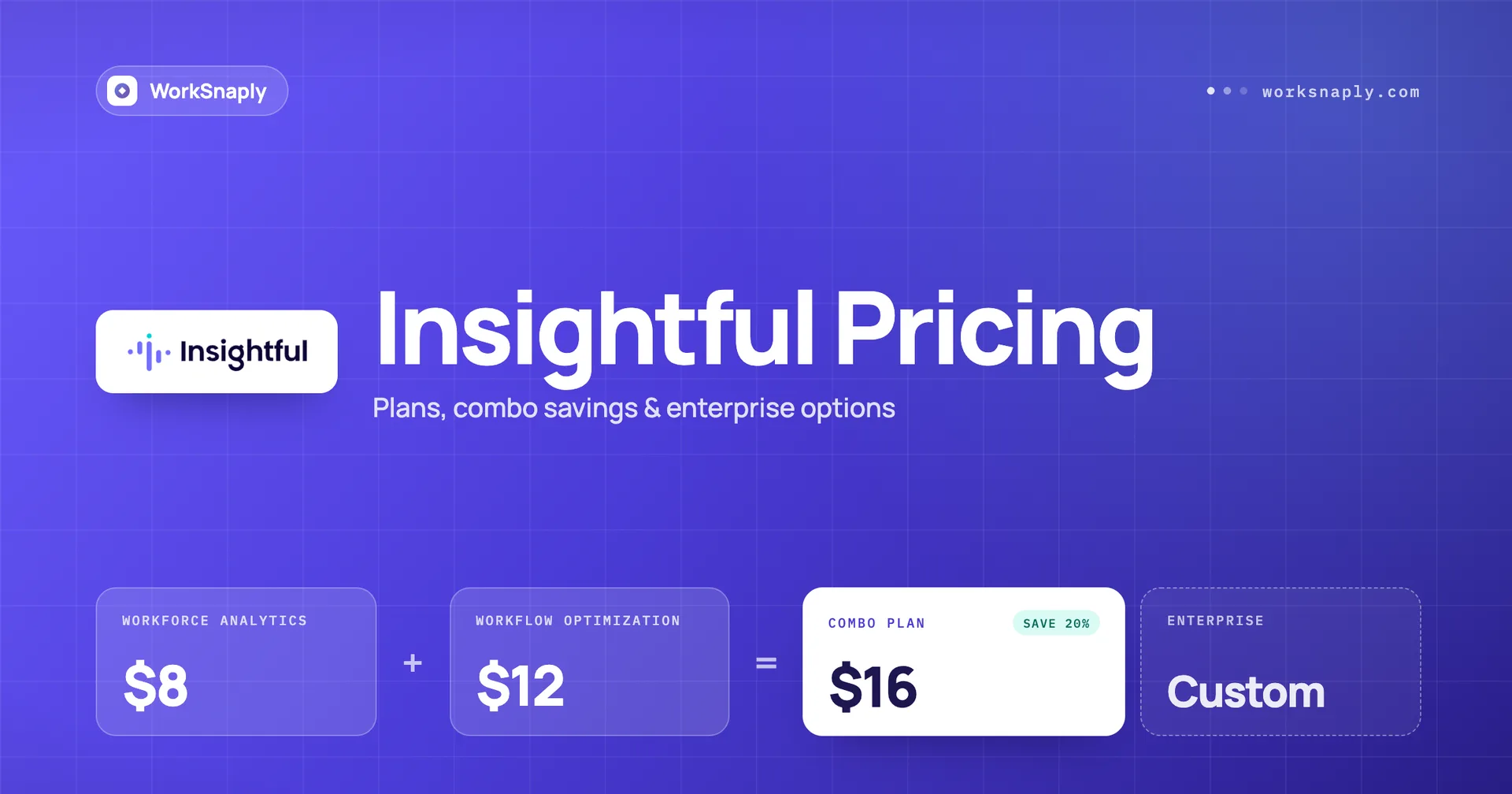
Insightful plans cost $8, $12 and $16 per seat per month on annual billing. See what each plan includes, the add on prices, seat costs and what the page leaves out.
Last updated: October 6, 2026. Prices checked October 2026.
Insightful costs $8 per seat per month for Workforce Analytics, $12 for Workflow Optimization (beta) and $16 for the Combo Plan, all billed annually. Enterprise is custom. Screenshots are included on Workforce Analytics, and SSO is Enterprise only. The pricing page shows no monthly price and no free plan.
Key takeaways
Insightful lists Workforce Analytics at $8, Workflow Optimization at $12 and the Combo Plan at $16 per seat per month, all billed annually, plus a custom Enterprise plan.
Workforce Analytics is the time and activity tracker. It includes screenshots, app and website usage and 24 months of data, but payroll on that plan is marked Coming Soon.
The Combo Plan saves $4 per seat per month against buying both products, and it adds payroll, phone support and a dedicated account manager.
Add ons run from $0.50 to $4 per seat per month. On Demand Screenshots cost $4 and Screen Recording costs $4.
SSO, audit logs and provisioning management are Enterprise only, and the page shows no monthly price, no free plan and no trial length.
How much does Insightful cost per user in 2026?
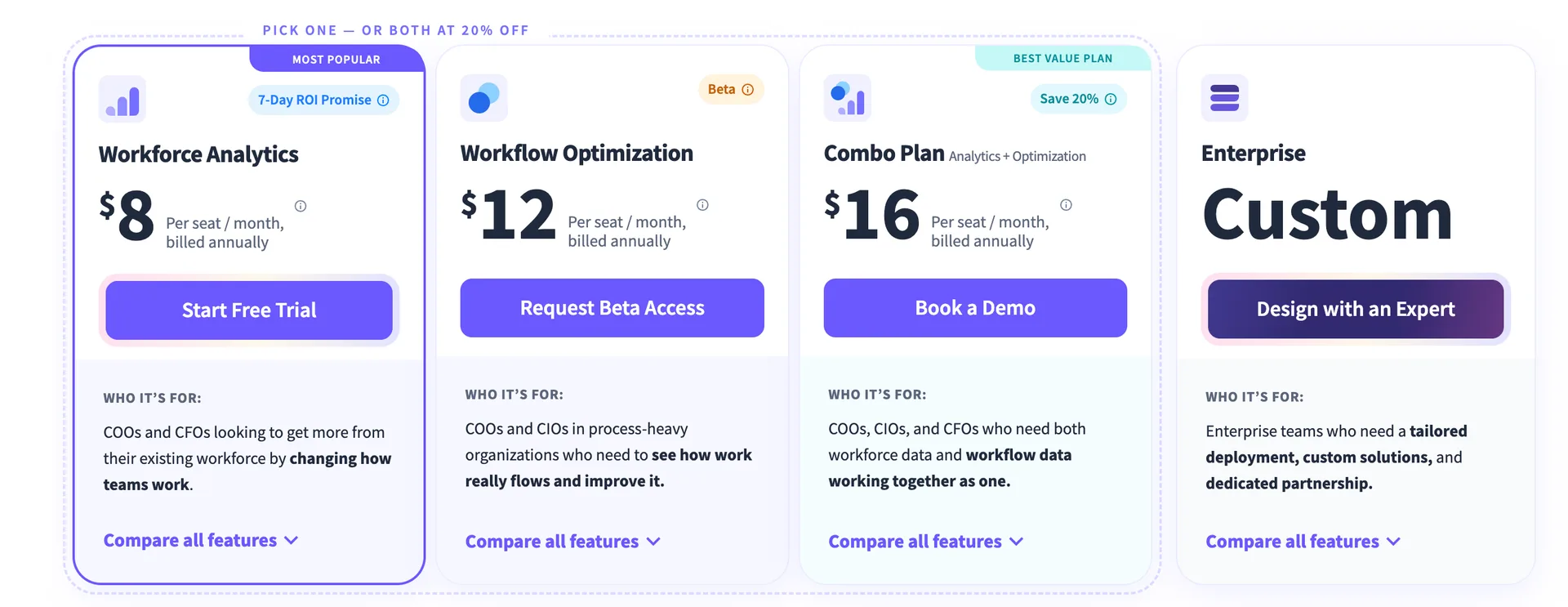
Insightful costs $8, $12 or $16 per seat per month depending on the plan, and every listed price is billed annually.
Plan | Price per seat per month | Billing | Button on the page |
|---|---|---|---|
Workforce Analytics | $8 | Billed annually | Start Free Trial |
Workflow Optimization (beta) | $12 | Billed annually | Request Beta Access |
Combo Plan | $16 | Billed annually | Book a Demo |
Enterprise | Custom | Not listed | Design with an Expert |
Prices checked October 2026. The page shows one price per plan and the words billed annually. It has no monthly column, so we cannot give you a monthly Insightful price.
The page headline reads Best value in work intelligence, and a label above the plans says Pick one, or both at 20% off. Notice the buttons. Only Workforce Analytics lets you start a free trial on your own. The other three plans send you to a beta request, a demo or an expert.
What is the difference between Workforce Analytics and Workflow Optimization?
Workforce Analytics tracks time, activity and attendance, while Workflow Optimization maps and measures how work flows through a process, and the two are priced as separate products.
Insightful describes Workforce Analytics for COOs and CFOs who want to get more from their existing workforce. It describes Workflow Optimization for COOs and CIOs in process heavy organizations who need to see how work really flows. The second product carries a Beta badge and a Request Beta Access button.
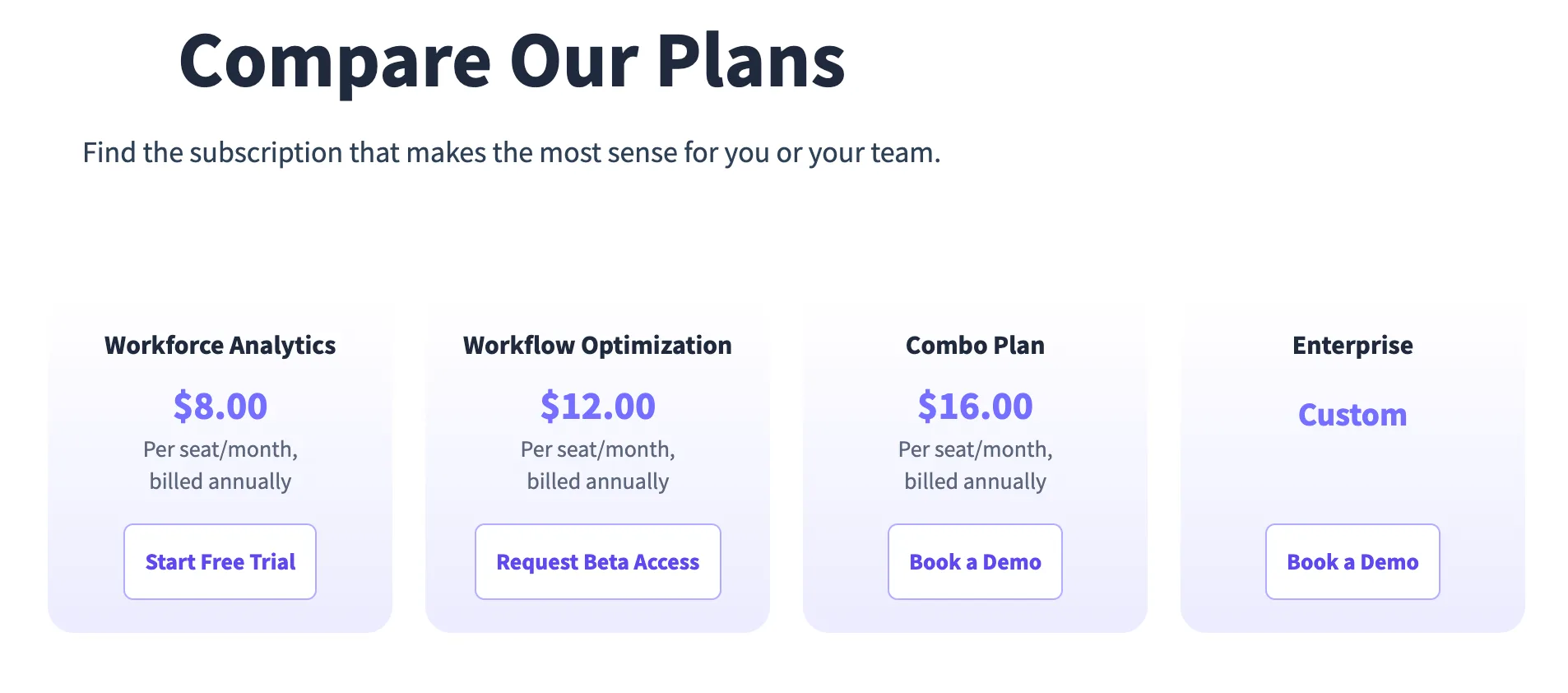
The comparison table shows what separates them. Workflow Optimization lists workflow mapping, tracking, measurement, process analysis and optimization toolsets for finance, insurance and support teams. It does not list screenshots, active and idle time, app and website usage or break time capture. Those sit on Workforce Analytics.
So if you want a time tracker with screenshots, the $12 plan is not the one to buy. Which problem are you solving, who worked how long, or why a process is slow?
What does Workforce Analytics include for $8?
Workforce Analytics at $8 includes attendance tracking, activity monitoring with screenshots, productivity reports and project time tracking, but not payroll, SSO or audit logs.
Attendance and time
Automatic and manual clock in and out, break time capture and offline time capture
Shift scheduling, schedule adherence and absence alerts
Automatic timesheets, time on projects and tasks, and project management
Activity and reports
Real time overview, activities timeline, active and idle time, engagement levels and idle time alerts
Screenshots, irregular behavior alerts and time on online meetings
Productive time analysis, categorized work time, app and website usage, software utilization and trend reports
Capacity analysis, workload balancing and work location insights
What is marked as not included or not ready
Payroll is marked Coming Soon, and so are invoicing and budgeting
Team based utilization, hybrid work insights and internet connectivity reporting are Enterprise only
SSO, audit logs and provisioning management are Enterprise only
Phone support, a dedicated account manager and customized onboarding are not listed on this plan
Other items on the same table, such as role based access, an API, HRIS integrations, two factor authentication and online support, appear on all four plans.
What does the Combo Plan add, and is the 20% discount real?
Yes. $8 plus $12 is $20, and the Combo Plan at $16 is 20 percent below that, which saves $4 per seat per month or $48 per seat per year.
The Combo Plan adds Workflow Optimization to Workforce Analytics, and the table also lists payroll, phone support, a dedicated account manager and customized onboarding on it. Private cloud and on premise deployment show as an extra service fee.
One caution on the Combo Plan. The table marks two items as not included that Workforce Analytics lists, Automatic time off sync through HRIS and Software Utilization. If either matters to you, ask about it before you pick the bundle over the $8 plan.
Also remember the beta label. Workflow Optimization is in beta, so part of what you pay for in the bundle is new. If you only want time and activity data, Workforce Analytics alone is the cheaper route.
What will 10, 25 and 50 seats cost in a year?
On annual billing, 10 seats cost $960.00 on Workforce Analytics and $1,920.00 on the Combo Plan, and 50 seats cost $4,800.00 and $9,600.00.
Seats | Workforce Analytics | Workflow Optimization | Combo Plan |
|---|---|---|---|
10 | $960.00 | $1,440.00 | $1,920.00 |
25 | $2,400.00 | $3,600.00 | $4,800.00 |
50 | $4,800.00 | $7,200.00 | $9,600.00 |
Illustrative example: the formula is seats x annual price x 12, and the seat counts are chosen for the math. We saw no seat minimum on the page, so we assume none.
At 25 seats, choosing the Combo Plan over Workforce Analytics adds $2,400.00 a year. Is the workflow product worth that to you, or do you only need the time data?
What do the add ons cost?
Insightful add ons run from $0.50 to $4 per seat per month, and the most expensive ones are screenshots on demand, screen recording and workspace security at $4 each.
Add on | Price per seat per month | What the card lists |
|---|---|---|
Workspace Security Plan | $4 | Insider Threat Detection, Activity Logs |
Data Warehouse Integrations | $0.50 | Custom API Access, BigQuery, Snowflake |
On Demand Screenshots | $4 | Instant Snapshots, Privacy Control |
Increased Frequency Screenshots | $3 | Up to 120 screenshots per hour, Privacy Control |
Screen Recording | $4 | Capture and Playback Screen Recordings, Privacy Control |
The table marks Real Time (On Demand) Screenshots and Video Screen Recording as add ons on Workforce Analytics, the Combo Plan and Enterprise, and the Workspace Security items as add ons on the first three plans. Each add on card says Talk to Sales, so expect to ask for it.
Seats | Workforce Analytics alone | With On Demand Screenshots ($12) | With Screen Recording ($12) |
|---|---|---|---|
10 | $960.00 | $1,440.00 | $1,440.00 |
25 | $2,400.00 | $3,600.00 | $3,600.00 |
50 | $4,800.00 | $7,200.00 | $7,200.00 |
Illustrative example: seats x ($8 + $4) x 12. One $4 add on raises the $8 plan by half. Add two and the plan costs $16, the same as the Combo Plan, though the add ons and the Combo Plan contain different things.
Which features are Enterprise only?
SSO, audit logs, provisioning management, team based utilization, hybrid work insights, internet connectivity reporting, tailored deployment and an SLA increase are listed on Enterprise only.
The Enterprise price is custom, and its button says Design with an Expert. Insightful describes it as a plan for enterprise teams who need a tailored deployment, custom solutions and dedicated partnership.
Data retention is the same on all four plans at 24 months, while Time Doctor Basic keeps 3 months. Online support appears on all four plans. Phone support appears on the Combo Plan and Enterprise.
The page also advertises a Hyperscaler Plan for large scale, variable workforces and a Work Intelligence alpha for qualified customers. Neither shows a price, and both say eligibility rules apply, so treat them as sales conversations and not as listed plans.
What does the Insightful pricing page not tell you?
We saw no monthly price, no free plan, no trial length and no seat minimum on it, and its FAQ answers were collapsed when we captured the page.
Here is the list we could not verify. The page has a Decision Support section with seven questions, including How does Insightful Pricing work, Can I add new users if I already paid, Are there any limitations to the free trial and How does Insightful apply sales tax to US purchases. We did not see the answers, so we do not state them here.
What we did see is a Start Free Trial button with the line No credit card required, and a 7 Day ROI Promise badge on Workforce Analytics. The promise has its own terms on another page that we did not read, so we cannot say what it covers.
Before you buy, ask Insightful five things in writing. What is the trial length, can I pay monthly, is there a seat minimum, what do the add ons cost for my seat count, and what does Enterprise cost?
How does Insightful compare with Time Doctor and WorkSnaply?
Time Doctor Basic at $6.67 costs $1.33 less than Insightful Workforce Analytics, and WorkSnaply Professional at $6.39 costs $1.61 less, and both include screenshots.
Disclosure: We build WorkSnaply, so read this section with that in mind. Every price comes from the vendor pages listed in the Sources and fact check section.
Tool | Cheapest plan with screenshots, annual | Payroll starts at | Monthly price listed |
|---|---|---|---|
Insightful | $8 (Workforce Analytics) | Combo Plan, $16 | No |
Time Doctor | $6.67 (Basic) | Standard, $11.67 | Yes |
WorkSnaply | $6.39 (Professional) | Enterprise, $15.19 | Yes |
Illustrative example: 10 seats on WorkSnaply Professional cost 10 x $6.39 x 12 = $766.80 a year, against $800.40 on Time Doctor Basic and $960.00 on Insightful Workforce Analytics.
For a full side by side, read our Time Doctor vs Insightful comparison. See WorkSnaply pricing for every plan, and Time Doctor pricing for the other side.
Who should consider Insightful?
Insightful suits teams that want activity analytics with 24 months of data at $8 and are fine talking to sales for anything above that.
Insightful fits you if
You want app and website analytics and 24 months of history on the cheapest plan
You want process and workflow analysis alongside time tracking
You are comfortable with annual billing and a demo call for the Combo Plan
Look elsewhere if
You want a monthly price and a plan you can test month to month
You need payroll today at the lowest tier, since Workforce Analytics lists it as Coming Soon
You need SSO without an Enterprise quote
Still choosing? See our roundup of the best employee monitoring software in 2026 and read about the signs an employer is monitoring work before you roll any tool out.
Related reading
Want a price list you can read without a call?
WorkSnaply Professional is $6.39 per user per month on annual billing with screenshots and activity monitoring, and every plan has a 14 day free trial with no credit card.
Start free trialFrequently Asked Questions
How much does Insightful cost?
Workforce Analytics is $8 per seat per month, Workflow Optimization is $12 (beta) and the Combo Plan is $16. All are billed annually. Enterprise is custom.
Does Insightful have a free plan?
Its pricing page lists no free plan. It shows a Start Free Trial button with No credit card required, but we could not confirm the trial length.
Does Insightful have monthly pricing?
The page shows every plan as per seat per month, billed annually, and lists no monthly price. Ask Insightful if you need to pay monthly.
Does Insightful include screenshots?
Yes, on Workforce Analytics, the Combo Plan and Enterprise, but not on Workflow Optimization. On Demand Screenshots cost $4 per seat extra and Increased Frequency Screenshots cost $3.
Is the Insightful Combo Plan worth it?
It saves $4 per seat per month against buying Workforce Analytics and Workflow Optimization separately. It adds payroll and phone support, but it is only worth it if you want the beta workflow product too.
Does Insightful include SSO?
Only on Enterprise, which is custom priced. The same is true for audit logs and provisioning management.
Fact Check
Claim | Source | Exact text from source |
|---|---|---|
Insightful plan prices and billing basis | INSIGHTFUL PLANS & PRICING. Best value in work intelligence. PICK ONE OR BOTH AT 20% OFF. Workforce Analytics $8 Per seat / month, billed annually, Start Free Trial. Workflow Optimization (Beta) $12 Per seat / month, billed annually, Request Beta Access. Combo Plan Analytics + Optimization $16 Per seat / month, billed annually, Save 20%, Book a Demo. Enterprise Custom, Design with an Expert. | |
Insightful screenshots and recording by plan | Insightful pricing page, Compare Our Plans table, screenshot taken October 2026 | Compare Our Plans, columns Workforce Analytics $8.00, Workflow Optimization $12.00, Combo Plan $16.00, Enterprise Custom, Per seat/month, billed annually. Activity Tracking: Screenshots included on Workforce Analytics, Combo Plan and Enterprise, not on Workflow Optimization. Real Time (On Demand) Screenshots: Add On on Workforce Analytics, Combo Plan and Enterprise. Video Screen Recording: Add On on Workforce Analytics, Combo Plan and Enterprise. |
Insightful payroll and HRIS sync by plan | Insightful pricing page, Compare Our Plans table, screenshot taken October 2026 | Attendance Tracking: Payroll, Coming Soon on Workforce Analytics, not included on Workflow Optimization, included on Combo Plan and Enterprise. Automatic time off sync through HRIS: included on Workforce Analytics, Workflow Optimization and Enterprise, not on Combo Plan. |
Insightful workflow features by plan | Insightful pricing page, Compare Our Plans table, screenshot taken October 2026 | Process Optimization: Workflow Mapping, Workflow Tracking, Workflow Measurement, Process and Workflow Analysis, Finance Team Optimization Toolset, Insurance Team Optimization Toolset, Support Team Optimization Toolset: not included on Workforce Analytics, included on Workflow Optimization, Combo Plan and Enterprise. Workflow Optimization card: Beta, Request Beta Access. |
Insightful SSO, data retention and support by plan | Insightful pricing page, Compare Our Plans table, screenshot taken October 2026 | Access & Data Controls: Data Retention Period 24 months on all four plans. Audit Logs: Enterprise only. SSO: Enterprise only. Customer Service: Online Support on all four plans. Phone Support and Dedicated Account Manager on Combo Plan and Enterprise. |
Insightful Enterprise only features | Insightful pricing page, Compare Our Plans table, screenshot taken October 2026 | Team Based Utilization, Hybrid Work Insights, Internet Connectivity Reporting: included on Enterprise only. Provisioning Management: Enterprise only. Audit Logs: Enterprise only. SSO: Enterprise only. Private Cloud Deployment: Extra Service Fee on Combo Plan, Add On on Enterprise. On Premise Deployment: Extra Service Fee on Combo Plan and Enterprise. Tailored Deployment and Service Level Agreement (SLA) Increase: Enterprise only. |
Insightful add on prices | Insightful pricing page, Add Ons section, screenshot taken October 2026 | Power Up Any Plan with Add Ons. Workspace Security Plan, Premium Add On, $4 / seat / mo, Insider Threat Detection, Activity Logs. Data Warehouse Integrations, Add On, $0.50 / seat / mo, Custom API Access, BigQuery, Snowflake Integration. On Demand Screenshots, Add On, $4 / seat / mo, Instant Snapshots, Privacy Control. Increased Frequency Screenshots, Add On, $3 / seat / mo, Up to 120 screenshots per hour, Privacy Control. Screen Recording, Add On, $4 / seat / mo, Capture and Playback Screen Recordings, Privacy Control. |
Insightful trial, credit card and ROI promise | Start Free Trial, Book a Demo. No credit card required. Workforce Analytics card badge: 7 Day ROI Promise. Footer: The 7 Day ROI Promise Terms supplement and are incorporated into Insightful's Terms of Service, Acceptable Use Policy, and Privacy Policy. | |
Insightful Hyperscaler Plan and Work Intelligence alpha | Hyperscaler Plan. Designed for large scale and complex workforces. Unlock visibility, reduce inefficiencies, and drive measurable ROI across teams. Available only to eligible customers with high scale, variable workforces. Subject to Hyperscaler Plan Terms. Talk to Sales. Work Intelligence. Get decision grade data in 14 days. Alpha available to qualified customers. Criteria apply. Request Free 14 Day Audit. | |
Insightful FAQ answers not verified | Decision Support FAQ questions listed, answers collapsed in the screenshot: How does Insightful's Pricing work? How does Insightful's Enterprise pricing work? Can I add new users if I already paid? Do you offer on premise data storage? Are there any limitations to the free trial? How does Insightful apply sales tax to US purchases? How can I request a sales tax exemption? | |
Time Doctor prices by plan | Basic: Annual $6.67/user/month | Monthly $8.00/user/month. Standard: Annual $11.67 | Monthly $14.00. Premium: Annual $16.70 | Monthly $20.00. | |
Time Doctor features by plan | Time Doctor pricing page, Compare all features table, screenshot taken October 2026 | Compare all features, columns Basic, Standard, Premium, Enterprise. Screenshots: included on all four. Activity summary, Web and app usage, Configurable productivity ratings: not included on Basic, included on Standard and above. Attendance, Break tracking, Leave tracking, Payroll, Schedules, Time approvals: not included on Basic, included on Standard and above. Single Sign On (SSO): Add on, Add on, included, included. Historical tracking data: 3 months, 6 months, 2 years, 2 years. Live chat, Email, Callback: not included on Basic, included on Standard and above. |
WorkSnaply prices, features and trial | Starter $3.99 per user/month monthly, $3.19 annual, 1 user minimum. Professional $7.99 monthly, $6.39 annual, No minimum, Screenshots & activity monitoring. Enterprise $18.99 monthly, $15.19 annual, No minimum, Payroll. All plans include a 14 day free trial with no credit card required. Save 20% with annual billing on all plans. | |
Computed figures | Arithmetic on the prices listed above. Illustrative examples assume 10 seats, annual billing and a 12 month year. | Not a quote from a vendor. Formula shown in the post. |