What Is a Timesheet? Types, Benefits & Best Practices Explained
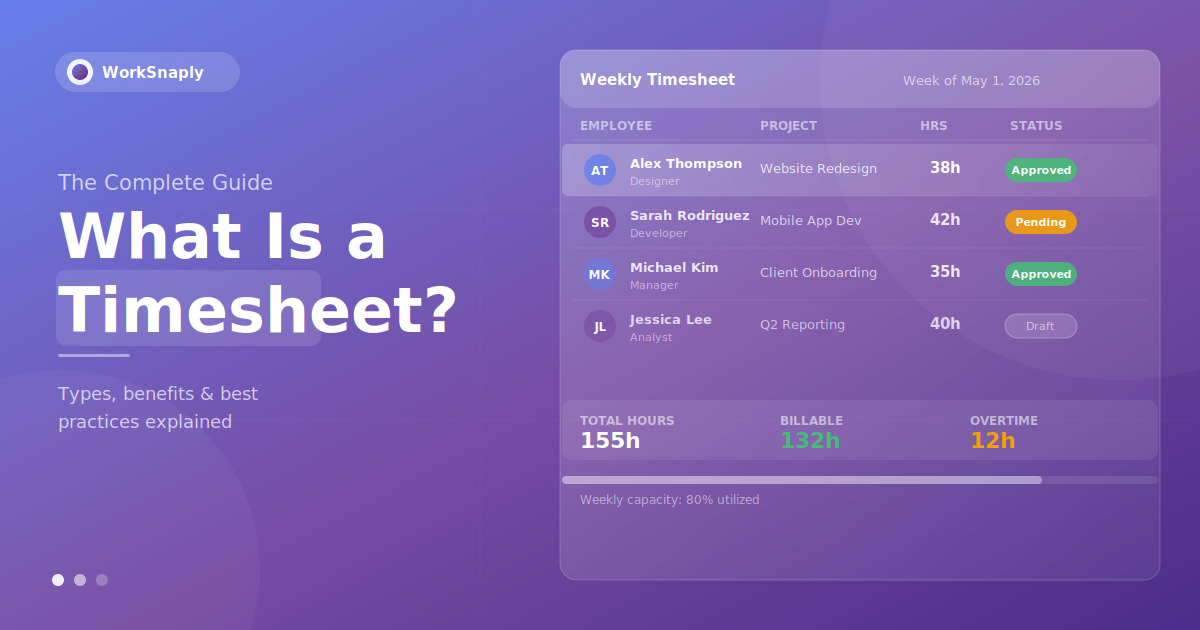
Learn what a timesheet is, how it works, different types, key benefits, and best practices for managers. Complete guide to employee timesheets for 2026.
Quick answer: A timesheet is a record of the time an employee, contractor or team member spends working, kept by day, week or month. Businesses use timesheets for payroll, client billing and project costing. Common types are paper, spreadsheet, digital and automatic timesheets.
A timesheet is a record that documents the amount of time an employee, contractor, or team member spends on specific tasks, projects, or work activities over a defined period — typically a day, week, or month. Originally paper-based, timesheets today are most commonly digital, integrated directly into time tracking software, payroll systems, and project management platforms.
For businesses, timesheets serve as the foundation of accurate payroll, client billing, project budgeting, and workforce management. For employees, they provide a structured way to account for how their working hours are spent — which projects received attention, how much time was billable, and where overtime occurred.
In the United States, the Fair Labor Standards Act requires employers to keep accurate records of the hours each non-exempt employee works each workday and each workweek (U.S. Department of Labor, Fact Sheet #21). Getting timesheets right isn't just administrative — it's a core business function.
What Does a Timesheet Include?
While formats vary, a standard timesheet typically records:
- Employee name and ID — who did the work
- Date and time period — when the work occurred
- Project or client name — what the work was for
- Task description — what specifically was done
- Hours worked — total time logged
- Billable vs. non-billable classification — whether the hours can be invoiced to a client
- Overtime — hours worked beyond the standard working period
- Manager approval status — reviewed, approved, or rejected
Modern digital timesheets — like those generated by WorkSnaply — also include timestamps, optional idle detection, and real-time synchronization across devices.
A Brief History of Timesheets
The timesheet has a longer history than most people realize. Its origins trace back to the late 19th century, when Frederick Winslow Taylor — the father of scientific management — began documenting worker activity to optimize factory productivity. Early timesheets were simple paper cards where workers recorded their start and end times for each task.
The introduction of the mechanical time clock by Willard Bundy in 1888 automated the clock-in/clock-out process for the first time, creating a physical record of attendance. By the mid-20th century, timesheets were standard practice across manufacturing, professional services, and government agencies.
The shift from paper to digital happened gradually through the 1980s and 1990s as spreadsheet software (primarily Microsoft Excel) replaced handwritten records. The 2000s brought web-based time tracking, and the 2010s introduced mobile apps and automatic tracking — where software detects and logs activity without requiring manual input.
Today, AI-powered time tracking tools can categorize work automatically, detect context switches, and generate timesheet data with minimal employee effort.
Types of Timesheets
Timesheets come in several formats, each suited to different business needs and payroll cycles.
Daily Timesheets
Daily timesheets record hours on a day-by-day basis, often broken into individual tasks or work intervals. They're most common for:
- Freelancers and contractors billing by the hour
- Construction and field workers who need precise daily records
- Employees with variable schedules where each day looks different
Daily timesheets provide the highest level of granularity but require consistent effort to maintain.
Weekly Timesheets
The most common format for office-based and knowledge workers. Weekly timesheets summarize hours across a 5 or 7-day period. They strike a balance between detail and ease of use — most employees can accurately recall their week's work well enough to fill out a weekly timesheet, though accuracy degrades for entries filled out retrospectively.
Biweekly Timesheets
Covering a two-week period, biweekly timesheets align with the most common payroll cycle in the United States. Biweekly pay periods are common in the United States, so biweekly timesheets are common too.
Monthly Timesheets
Used primarily in organizations with monthly payroll cycles — more common in Europe and in salaried professional roles. Monthly timesheets require employees to track or recall an entire month of work, which typically reduces accuracy without automatic tracking tools.
Project-Based Timesheets
Rather than organizing by date, project-based timesheets organize time by project or client. This format is standard in agencies, consulting firms, law practices, and any business that needs to track time against specific deliverables for billing or cost management purposes.

Why Timesheets Matter: 6 Key Benefits
1. Accurate Payroll Processing
Payroll errors are more common — and more costly — than most businesses realize. Every payroll error costs time to find and correct, and underpaying workers adds legal exposure.
Accurate timesheets — especially those generated automatically — eliminate this problem at the source. When time data flows directly from tracking software into payroll, manual entry errors disappear.
2. Accurate Client Billing
For agencies, consultancies, law firms, and any business that bills clients for time, timesheets are the foundation of revenue. Without accurate time records, businesses systematically under-bill — capturing only the time they remembered to track, not the time they actually worked.
Teams switching from manual to automatic time tracking often recover billable hours they were previously performing but not capturing. Even a small improvement in billable hour capture adds up: hours recovered per week × your hourly rate × 52 is additional revenue (for example, 2 recovered hours a week per person at $150/hour is $15,600 a year per person).
3. Project Budgeting and Cost Control
Timesheets reveal whether projects are on budget before it's too late. When you can see in real time that a project has consumed 80% of its estimated hours but is only 60% complete, you can make decisions — renegotiate scope, add resources, or adjust timelines — rather than discovering the overrun after the fact.
Without timesheet data, project managers are guessing. With it, they're managing. This is why our guide on time management for managers emphasizes timesheet data as one of the core inputs for effective decision-making.
4. Labor Law Compliance
In most jurisdictions, employers are legally required to maintain accurate records of employee working hours. In the United States, the Fair Labor Standards Act (FLSA) requires employers to keep records of hours worked for at least two years. Similar requirements exist under the EU Working Time Directive, the UK Working Time Regulations, and labor laws across virtually every country with employment protections.
Timesheets serve as the documentation that proves compliance — crucial in the event of a wage dispute, audit, or legal claim. Digital timesheets with audit trails (showing who entered data and when) provide significantly stronger compliance documentation than paper records or Excel spreadsheets.
5. Productivity Insights
Aggregate timesheet data reveals patterns that would be invisible otherwise. Which clients consume disproportionate team time relative to revenue? Which types of projects consistently run over budget? Which team members are consistently overloaded — a leading indicator of burnout?
These insights enable managers to make smarter decisions about pricing, resource allocation, and team structure. As we explore in our guide on improving employee productivity in remote teams, data-driven management consistently outperforms intuition-based decisions.
6. Remote Team Accountability Without Surveillance
For remote teams, timesheets provide accountability without the need for invasive monitoring. When employees track their time against projects and tasks, managers gain visibility into how work time is distributed — without needing screenshots, keystroke monitoring, or constant check-ins.
This is the model WorkSnaply is built on: timesheet data that gives managers what they need to manage effectively, without treating employees like they're being watched. For more on implementing this approach, see our complete guide on best time tracking practices for remote teams.
Paper vs. Digital Timesheets: Key Differences
| Feature | Paper Timesheets | Digital Timesheets |
|---|---|---|
| Accuracy | ❌ Error-prone, relies on memory | ✅ Real-time or automatic capture |
| Cost | Low upfront, high processing cost | Subscription cost, minimal processing |
| Payroll integration | ❌ Manual data entry required | ✅ Direct integration available |
| Compliance documentation | ⚠️ Difficult to audit, can be altered | ✅ Immutable audit trails |
| Remote team support | ❌ Not practical | ✅ Works from anywhere |
| Reporting | ❌ Manual calculation required | ✅ Automated reports and dashboards |
| Approval workflow | ❌ Physical signatures, slow | ✅ Digital approval with notifications |
The case for digital timesheets is overwhelming for any organization with more than a handful of employees. The question isn't whether to go digital, but which digital approach best fits your workflow.
Manual vs. Automatic Timesheet Filling
Within digital timesheets, there's an important distinction between manual entry and automatic tracking.
Manual timesheet entry requires employees to actively log their hours — typically at the end of a task, day, or week. People systematically misremember how long things took, and they forget entirely about small tasks that collectively consume significant time.
Automatic time tracking captures activity as it happens, without requiring employees to remember to log time. Tools like WorkSnaply track time against the projects and tasks employees choose while the timer runs, building timesheet data as they work.
The accuracy difference can be significant: automatic tracking captures work without relying on people to remember to log it, so records tend to be more complete than with manual entry. For client-billing businesses, this translates directly to recovered revenue. For project managers, it means budget data they can actually trust. Read our in-depth comparison of manual vs automatic time tracking to understand which approach is right for your team.

The Timesheet Approval Process
Most organizations use a timesheet approval workflow before hours are processed for payroll or billing. A standard process looks like this:
- Employee submits timesheet — by end of pay period, usually with a manager-set deadline
- Manager reviews — checks for missing entries, unusual hours, or errors
- Manager approves or requests corrections — approved timesheets move to payroll; rejected ones return to employee with comments
- Payroll processing — approved hours flow into payroll calculation
- Lock period — once processed, timesheets are typically locked to prevent retroactive changes
Modern timesheet software automates much of this — sending reminders when submissions are due, flagging unusual entries for review, and routing approved timesheets directly to payroll integration. What once took days of email back-and-forth can now happen in hours.
Common Timesheet Problems — and How to Solve Them
Late or Missing Submissions
Problem: Employees forget to submit timesheets, causing payroll delays and incomplete records.
Solution: Automated reminders before submission deadlines. Set up manager alerts for missing timesheets. Consider automatic tracking that removes the submission burden entirely.
Inaccurate Entries
Problem: Employees estimate rather than accurately record hours, leading to billing and payroll errors.
Solution: Switch to real-time tracking (start/stop timers) rather than end-of-day or end-of-week retrospective entry. Automatic tracking eliminates this entirely.
Time Theft and Buddy Punching
Problem: Employees record hours they didn't work, or have colleagues clock in on their behalf. Buddy punching is a known source of payroll leakage, and digital or automatic tracking makes it much harder.
Solution: GPS verification for location-based workers, biometric clock-ins for shared devices, and automatic tracking based on actual computer activity for knowledge workers.
Timesheet Fraud
Problem: Deliberate manipulation of time records for financial gain.
Solution: Immutable audit trails that show all edits with timestamps and user IDs. Anomaly detection that flags entries outside normal patterns. Manager approval workflows that require sign-off before payroll processing.
Resistance from Employees
Problem: Team members resent time tracking, viewing it as surveillance or distrust.
Solution: Explain the purpose clearly — accurate payroll, fair project estimation, and client billing, not monitoring individuals. Choose privacy-respecting tools. Give employees access to their own data. The transparency of purpose dramatically improves adoption.
Timesheet Best Practices for Managers
Getting timesheets right requires both the right tools and the right practices. Here's what works:
- Set clear submission deadlines — and enforce them consistently. Vague deadlines lead to chronic late submissions.
- Make the purpose transparent — employees who understand why time is being tracked comply more willingly and accurately
- Use automatic tracking where possible — it reduces administrative burden and improves data quality simultaneously
- Review weekly, not monthly — catching errors early is far easier than reconstructing records weeks later
- Provide employees access to their own data — self-service visibility reduces questions and increases ownership
- Integrate with payroll and billing — manual data transfers create errors and waste time
- Lock approved timesheets — prevents retroactive changes that can compromise compliance records
For a complete framework on using time data to manage your team more effectively, see our guide on time management tips for managers.
Timesheet Software: What to Look For
The right timesheet software makes the entire process — from time capture to payroll — faster, more accurate, and less frustrating for everyone involved. Key features to look for:
- Automatic time capture — reduces manual entry and improves accuracy
- Mobile app — essential for remote and field teams
- Approval workflows — streamlines manager review and sign-off
- Payroll integration — eliminates manual data transfer between systems
- Project and task tracking — not just total hours, but where those hours went
- Audit trails — immutable records of who entered what and when
- Reporting and analytics — actionable insights, not just raw data
- Compliance support — overtime calculations, break tracking, record retention
For a complete comparison of leading options, see our roundup of the best employee time tracking software. WorkSnaply covers all of these requirements with a particular focus on remote teams and the balance between manager visibility and employee trust.
Timesheet vs. Time Tracking: What's the Difference?
These terms are often used interchangeably, but there's a meaningful distinction:
Time tracking refers to the process of recording when and how long work activities occur — the real-time or near-real-time capture of working hours.
A timesheet is the structured document or record that consolidates time tracking data for a specific period — typically formatted for payroll, billing, or management review.
Think of it this way: time tracking is the process; the timesheet is the output. You track time to produce a timesheet. Many modern tools blur this distinction by making the timesheet a live, continuously updated document rather than something filled out at the end of a period.
Final Thoughts
Timesheets are one of the oldest business tools in existence — and one that's been fundamentally transformed by technology without losing its core purpose: creating an accurate record of how work time is spent.
Whether you're using them for payroll accuracy, client billing, project management, compliance, or productivity insights, the value of good timesheet data compounds over time. The more accurate your records, the better your decisions about pricing, staffing, project estimates, and resource allocation.
The shift from paper to digital, and from manual entry to automatic tracking, has made this easier than ever — but only if you choose the right approach for your team's culture and workflows. The best timesheet system is one your team actually uses consistently, which means it needs to be simple, transparent, and clearly purposeful.
Automate Your Team's Timesheets with WorkSnaply
WorkSnaply builds timesheets from the time you track, so there is no spreadsheet to fill in. Project-level tracking, manager approval workflows, and payroll integration, all built for remote teams.
Start Free 14-Day Trial — No Credit Card RequiredRelated reading
Frequently Asked Questions
What is a timesheet used for?
Timesheets are used to record employee working hours for payroll processing, client billing, project budget tracking, labor law compliance, and productivity analysis. They serve as the official record of how work time was spent during a given period.
What should a timesheet include?
A complete timesheet typically includes the employee's name, the date or time period covered, the projects or tasks worked on, hours spent on each activity, billable vs. non-billable classification, overtime hours, and a manager approval field. Digital timesheets may also include timestamps, GPS location data, and automatic activity tracking.
How often should timesheets be submitted?
This depends on your payroll cycle and business needs. Weekly submission is the most common standard for knowledge workers, as it balances detail with ease of recall. Daily submission is common for contractors, field workers, and hourly employees. The key principle: the sooner after the work occurs, the more accurate the record.
Are timesheets legally required?
In the United States, the Fair Labor Standards Act requires employers to keep records of hours worked each workday and workweek for non-exempt employees. The Department of Labor says payroll records must be kept at least three years and time cards and work schedules at least two years, and employers may use time clocks, timekeepers or employee self-reporting as long as the system is complete and accurate (DOL Fact Sheet #21). Other countries and some states have their own rules, so check local law.
What is the difference between a timesheet and a time card?
A time card (or punch card) traditionally records only clock-in and clock-out times — total hours present. A timesheet provides more detail, recording not just when someone worked but what they worked on, for which project or client, and whether hours were billable. Modern digital tools often combine both functions.
Can employees edit their own timesheets?
This depends on your organization's policy and software settings. Most timesheet software allows employees to edit their own entries before submission and manager approval, but locks entries once they've been approved to maintain the integrity of payroll and billing records. Audit trails ensure that any edits are logged with timestamps and user IDs.
What is timesheet fraud?
Timesheet fraud occurs when employees deliberately record hours they didn't work — either by inflating hours, recording work during non-working periods, or having colleagues clock in on their behalf (buddy punching). Digital timesheets with automatic tracking, GPS verification, and audit trails significantly reduce opportunities for fraud compared to paper-based or manual systems.